
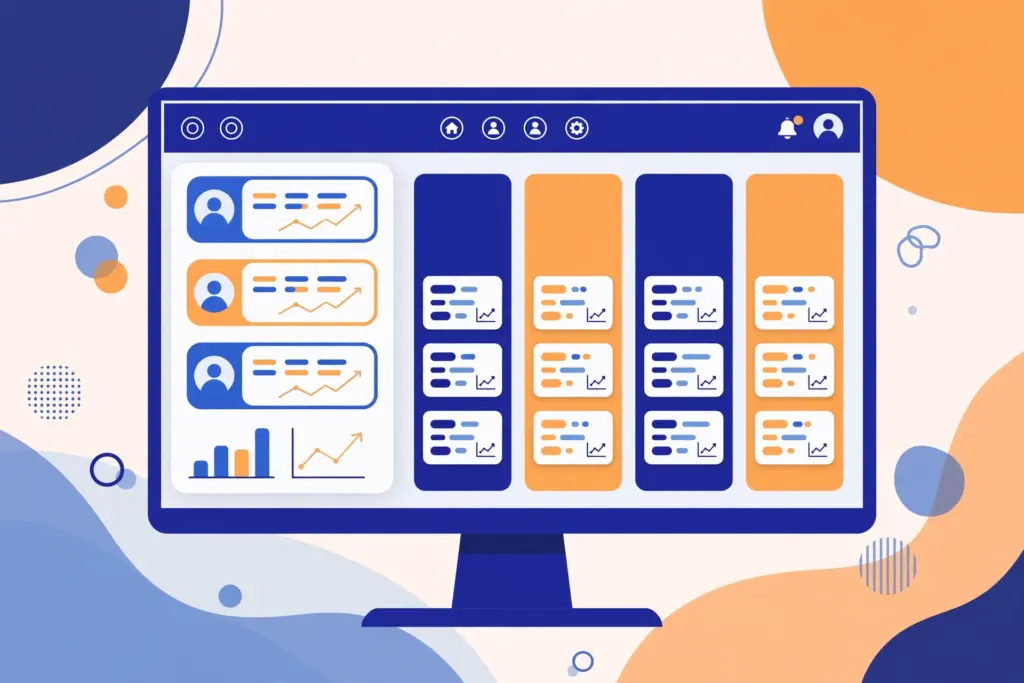
CRM software is a program that stores all your customer information — names, phone numbers, orders, complaints and follow-ups — in one place, so your team can sell more and serve customers better.
CRM stands for Customer Relationship Management. If you only want the abbreviation explained, see the full form of CRM software. This page is the full guide: what the software actually does, its features, its types, popular examples and what it costs.
Table of Contents
What CRM software does, day to day
Think of a small business without CRM software. Customer details live in the owner’s phone, one salesperson’s notebook and a shared Excel sheet. A customer calls and nobody remembers what they ordered last month. A lead fills the website form and nobody follows up for a week.
CRM software fixes this with one shared record for every customer. Here is the daily flow inside a typical CRM:
- Capture. A new enquiry arrives — website form, phone call, WhatsApp message, walk-in. The software saves it as a lead with name, number and requirement.
- Assign. The lead is automatically given to the right salesperson, so nothing sits unanswered.
- Follow up. The software sets reminders. Every call, email and visit is logged against the same customer record.
- Move the pipeline. The deal moves through stages — New, Contacted, Quotation Sent, Negotiation, Won or Lost — all visible on one board.
- Serve. After the sale, support tickets, renewals and feedback stay on the same record.
- Report. The manager sees lead counts, conversion rates and team performance at a glance.
Real example: a furniture shop in Ludhiana gets 30 enquiries a month. Before CRM, the owner followed up from memory and lost half the leads. With CRM, every enquiry gets a call within two hours plus two automatic reminders. Conversions went up without hiring anyone new.
Core features of CRM software
Almost every CRM, cheap or expensive, includes the same core features. The features of CRM page explains each one in detail. Here is the short version:
| Feature | What it does, in simple words |
|---|---|
| Contact management | Stores name, phone, email, company and full history of each customer |
| Sales pipeline | Shows every deal on a board, from new lead to won or lost |
| Lead capture | Pulls enquiries from your website, ads and calls into the CRM automatically |
| Follow-up reminders | Reminds the team to call or email before a lead goes cold |
| Email and call logging | Records every call and email against the customer automatically |
| Quotations and invoices | Creates price quotes and bills from inside the software |
| Support ticketing | Tracks customer complaints until each one is resolved |
| Workflow automation | Sends reminders and updates without anyone doing it manually |
| Reports and dashboards | Shows lead counts, sales numbers and team performance at a glance |
| Mobile app | Lets field staff update records from the customer’s doorstep |
Types of CRM software
CRM software comes in three types, based on what it is built to do. The full breakdown is on the types of CRM page.
| Type | What it focuses on | Good for |
|---|---|---|
| Operational CRM | Daily sales, marketing and support work — leads, pipeline, tickets | Most small and mid-size businesses |
| Analytical CRM | Reports and data — which channel brings customers, who buys what | Businesses with enough data to analyse |
| Collaborative CRM | Sharing customer information across teams and partners | Companies where sales, support and vendors must stay in sync |
Most popular CRMs (Zoho, Salesforce, HubSpot) are operational at heart, with analytical reports built in. You rarely need to choose a “type” — you just need software that matches your daily work.
Popular CRM software examples
The examples of CRM software list is long. These are the names you will hear most often, in one line each:
| CRM software | Best known for | Usually chosen by |
|---|---|---|
| Zoho CRM | Low cost, wide features, Indian company | Small and mid-size Indian businesses |
| Salesforce | Market leader, deeply customisable | Large companies and enterprises |
| HubSpot CRM | Free starting plan, strong marketing tools | Startups and marketing teams |
| Freshsales | Simple interface, Indian company (Freshworks) | Sales teams that want quick setup |
| Pipedrive | Clean visual sales pipeline | Small sales-first teams |
| Microsoft Dynamics 365 | Fits tightly with Microsoft 365 | Companies already on Microsoft tools |
If you are a student or job seeker, learn Zoho CRM first — it appears in the most Indian job postings for CRM roles.
Who needs CRM software — and when to adopt
You need CRM software when customer details start living in too many places. The signs are familiar: a lead from last month that nobody called back, two salespeople quoting different prices to the same customer, a complaint that vanished because the person handling it went on leave.
Simple rule: if your team handles more than 20–30 active customers or leads at a time, spreadsheets will start leaking. A two-person shop can start on a free plan (HubSpot, Zoho CRM free tier). A growing team usually moves to a paid plan within a year.
The right time to adopt is the first time you lose a deal because nobody followed up. Most businesses learn this the hard way once — then they never go back.
CRM software vs spreadsheets: when to switch
Many small businesses start with Excel or Google Sheets. That works — until it doesn’t. Here is how the two compare:
| Point | Spreadsheets | CRM software |
|---|---|---|
| Follow-up reminders | None — you must remember yourself | Automatic reminders for every lead |
| Team sharing | One person edits at a time; versions get messy | Everyone sees the same live record |
| Call and email history | Scattered across phones and inboxes | Logged automatically against the customer |
| Reports | Built manually, usually out of date | One-click dashboards, always current |
| Grows with the team | Breaks down past 4–5 users | Built for teams of any size |
If your “CRM” is currently a spreadsheet with 200 rows and three people editing it, you have already outgrown it. The free plans from HubSpot or Zoho take an afternoon to set up and replace the sheet completely.
How much does CRM software cost in India?
Roughly ₹350 to ₹7,000 per user per month, depending on the tool and plan. Zoho Bigin starts around ₹350, Freshsales around ₹750, Zoho CRM around ₹900, and Salesforce Professional around ₹6,500. Most tools offer free plans with user limits, and most discount for annual billing. The full price comparison is on the CRM software price in India page.
What is CRM software in simple words?
CRM software is a program that keeps every customer detail — names, numbers, orders, complaints and follow-ups — in one organised place, so a business can sell more and serve customers better.
What is CRM software used for?
It is used to capture leads, assign them to salespeople, remind the team about follow-ups, track deals through a pipeline, handle support complaints, and show managers honest sales reports.
Which is the best CRM software for a small business in India?
Zoho CRM is the most popular pick for Indian small businesses — Indian company, rupee pricing, free plan for 3 users. HubSpot CRM is the strongest free option for very small teams.
Is CRM software free?
Many tools offer free plans with limits — HubSpot CRM, Zoho CRM and Freshsales all have one. You pay when the team grows or needs automation and advanced reports.