
Copper CRM is a customer relationship management platform built around Google Workspace. It is designed for businesses that spend much of their working day in Gmail, Google Calendar, Google Drive, and related tools.
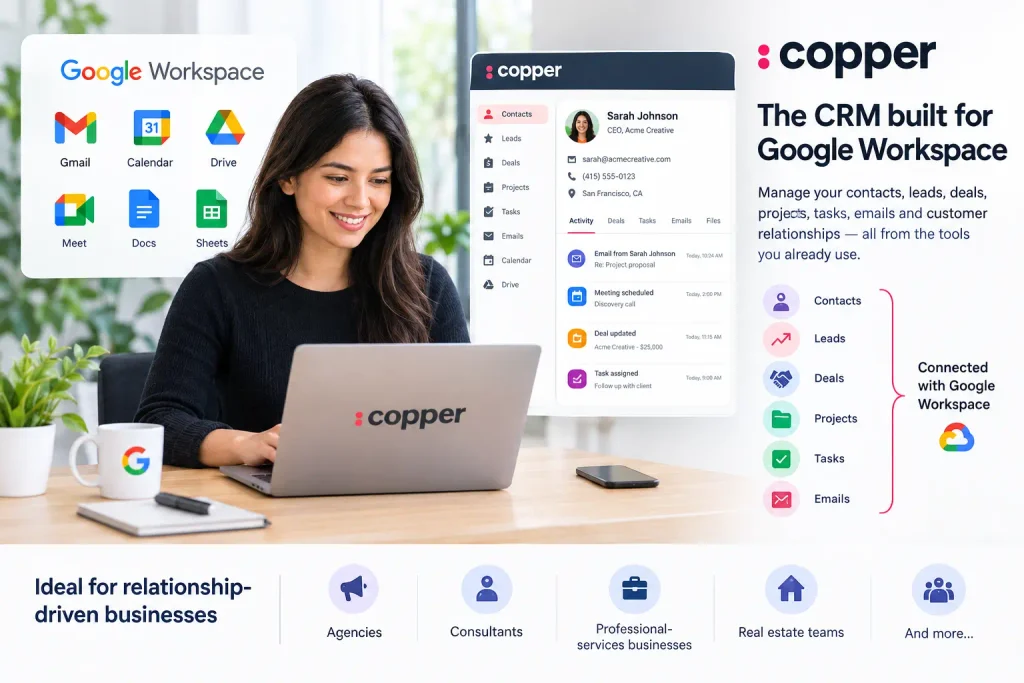
Instead of making users move between a separate CRM and their existing productivity apps, Copper connects CRM data and workflows closely with Google Workspace. Teams can manage contacts, leads, deals, projects, tasks, emails, and customer relationships from a connected system. Copper
That makes Copper particularly relevant for agencies, consultants, professional-services businesses, real estate teams, and other relationship-driven companies.
But the bigger question is whether Copper is the right CRM for your business.
This guide explains what Copper CRM does, its main features, pricing, advantages and limitations, how its pipeline works, and what to consider before choosing it.
What Is Copper CRM?
Copper CRM is a cloud-based customer relationship management platform focused on relationship management, sales pipelines, project workflows, and Google Workspace integration.
The platform organizes business relationships around records such as people, companies, leads, opportunities, projects, and tasks. Its pipeline system can be adapted to different business processes rather than being limited to traditional sales deals. Copper Support
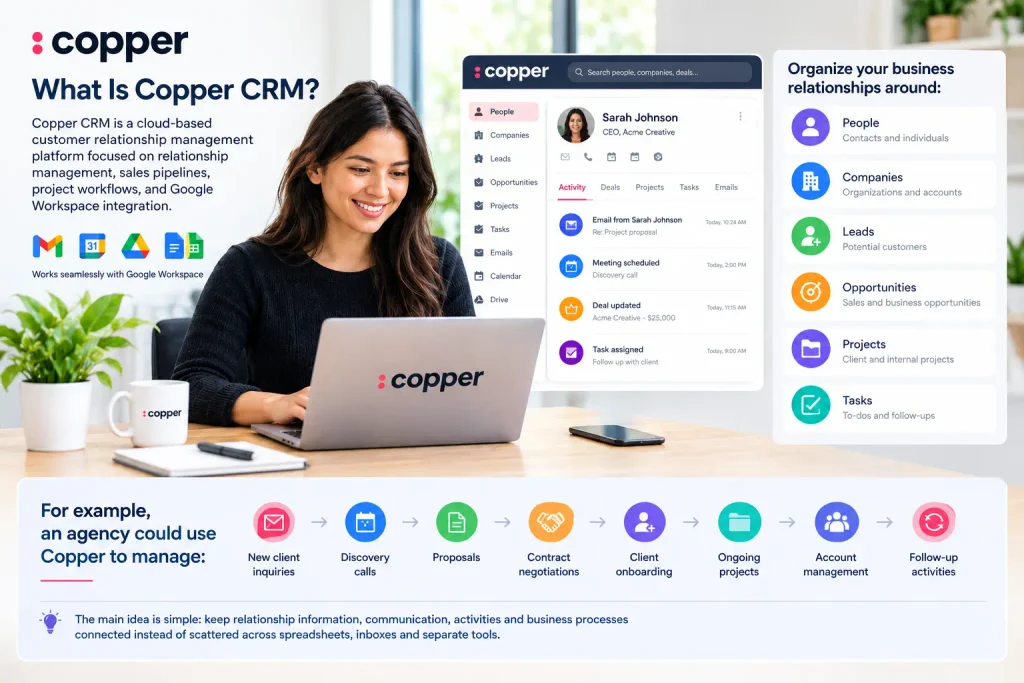
For example, an agency could use Copper to manage:
- New client inquiries
- Discovery calls
- Proposals
- Contract negotiations
- Client onboarding
- Ongoing projects
- Account management
- Follow-up activities
A consultancy could use the same basic concept for prospects, engagements, proposals, and client relationships.
The main idea is simple: keep relationship information, communication, activities, and business processes connected instead of scattered across spreadsheets, inboxes, and separate tools.
How Does Copper CRM Work?
Copper starts with customer and company information, then connects that information to the activities and processes surrounding each relationship.
Its core records include:
- People: Individual contacts and stakeholders
- Companies: Organizations associated with those contacts
- Leads: Potential relationships that still need qualification
- Opportunities: Qualified business opportunities tracked through pipelines
- Projects: Work associated with customers or other business relationships
- Tasks: Activities that need to be completed
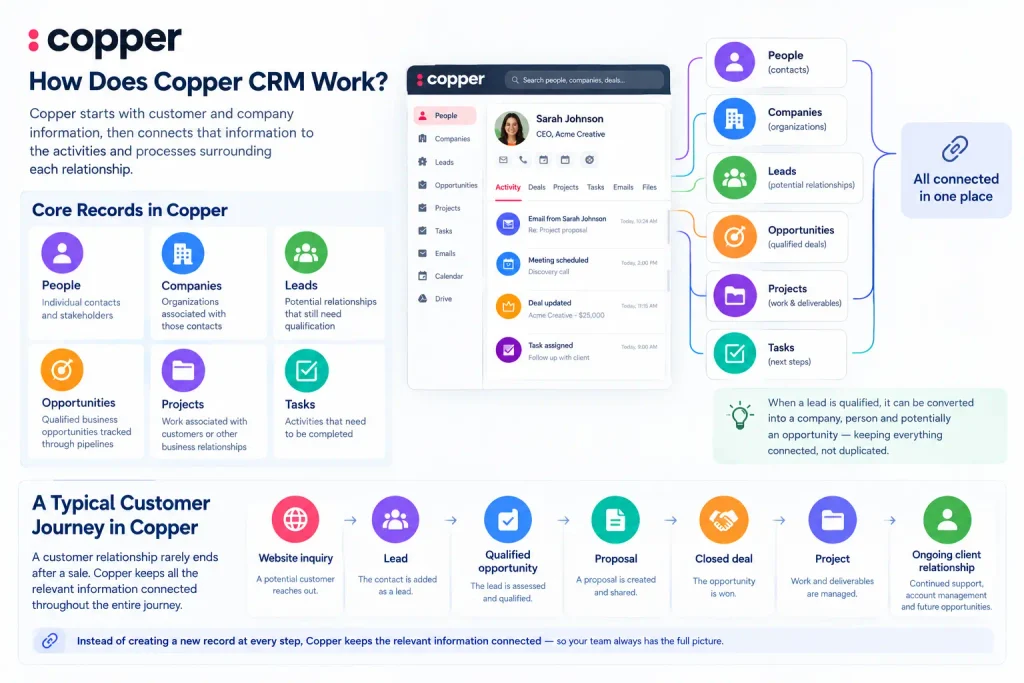
Copper describes leads as potential opportunities that still need qualification. Once a lead is qualified, it can be converted into a company, person, and potentially an opportunity. Copper Support
This structure is useful because a customer relationship rarely ends when a sale is made.
A typical journey might look like:
Website inquiry → Lead → Qualified opportunity → Proposal → Closed deal → Project → Ongoing client relationship
Instead of creating a new record at every step, Copper can keep the relevant information connected.
Copper CRM and Google Workspace
Google Workspace integration is one of Copper’s defining characteristics.
Copper connects with tools including Gmail, Google Contacts, Google Calendar, Google Drive, and Google Sheets. Its Chrome extension also brings CRM functionality into Gmail and Google Calendar. Copper
This matters because CRM adoption often becomes difficult when employees have to maintain information in multiple places.
For example, a salesperson might receive an inquiry through Gmail. With Copper connected, that contact can be added to the CRM, associated with a company, tracked through a pipeline, and followed up with tasks without completely changing their normal workflow.
Copper also supports Google-related workflows involving files, calendar events, email conversations, and reporting. Copper
What happens inside Gmail?
Copper can help users:
- Add contacts from Gmail
- View relationship information
- Track email conversations
- Manage CRM reminders and tasks
- Update customer information
- Work with follow-ups
- Access relevant CRM information while working in email
For teams that already live in Gmail, this can reduce the friction of maintaining a separate CRM.
Key Copper CRM Features
Copper offers more than basic contact management. Its feature set covers sales, relationship management, project workflows, automation, reporting, and productivity.
1. Contact Management
Copper provides a centralized place for people and company information.
Instead of relying on individual employees to remember previous conversations, customer information can be connected to the appropriate CRM record.
This can include communication history, notes, tasks, files, and related opportunities.
The benefit becomes more obvious as a company grows. If someone leaves the team or another employee takes over an account, important relationship information is less dependent on one person’s inbox.
2. Sales Pipelines
Copper uses customizable pipelines to represent processes from beginning to end.
A pipeline might contain stages such as:
| Stage | Purpose |
|---|---|
| New Lead | Initial inquiry or prospect |
| Qualified | Prospect meets your criteria |
| Discovery Call | Needs and requirements being discussed |
| Proposal Sent | Commercial proposal delivered |
| Negotiation | Terms or pricing being discussed |
| Closed Won | Deal successfully completed |
| Closed Lost | Opportunity did not proceed |
The exact stages should reflect the actual workflow of the business.
Copper recommends using clear milestone names and avoiding unnecessary pipelines when the underlying process is essentially the same. Copper Support
This is important because a CRM pipeline should describe how work actually moves.
A common mistake is creating stages such as “Hot,” “Very Hot,” and “Almost Closed” when those labels do not tell the team what action should happen next.
A stage such as “Proposal Sent” is more useful because everyone understands what has happened and what normally comes next.
3. Lead Management
Leads represent potential customers or relationships that have not yet been fully qualified.
For example, an agency could receive 100 inquiries but only 20 may fit its ideal customer profile.
Instead of immediately treating all 100 as sales opportunities, the agency can use the lead stage to qualify them.
Useful qualification information might include:
- Company type
- Service required
- Budget
- Project timeline
- Decision-maker
- Business need
- Source of the inquiry
Copper also supports forms that can capture information from website visitors and create or update CRM records. Copper Support
4. Task and Workflow Automation
Copper includes automation features that can reduce repetitive administrative work.
For example, a workflow could create a task when an opportunity reaches a particular pipeline stage.
Imagine a sales process where every new proposal requires a follow-up three days later.
Instead of relying on a salesperson to remember that manually, an automation can help create the relevant task as part of the workflow.
Copper’s documentation also describes automations that can generate tasks when opportunities remain inactive or when they reach particular stages. Copper Support
Automation is most useful when the process is already clear.
Automating a poorly designed sales process usually just makes the poor process happen faster.
5. Project Management
Copper is not limited to pre-sale activities.
Its project-management capabilities allow businesses to continue managing work after a deal has been closed.
For an agency, the process could look like:
Lead → Sales Opportunity → Closed Deal → Client Onboarding → Project Delivery → Account Management
That makes Copper relevant to businesses where the same relationship continues across sales and service delivery.
6. Reports and Dashboards
Reporting helps teams understand what is happening inside their pipeline.
Depending on the plan and configuration, Copper provides reporting capabilities for areas such as sales performance, pipeline activity, and business processes. Its documentation also describes dashboards containing KPIs, charts, tables, and exportable reports. Copper Support
Instead of simply asking:
“How many deals do we have?”
A useful CRM report can help answer:
- How many opportunities are currently open?
- Which pipeline stages contain the most deals?
- How much potential revenue is in the pipeline?
- How long are opportunities taking to move forward?
- Which opportunities have become inactive?
- Where are deals getting stuck?
The value comes from turning CRM data into decisions.
7. Forms
Copper Forms can capture information from website visitors and create or update records.
For example, a business could use a website form to collect:
- Name
- Company
- Project type
- Budget
- Requirements
- Other qualification details
Copper’s current documentation says forms can create leads or people and, depending on the workflow, update existing pipeline records. Copper Support
This can be useful for agencies and service businesses that need more information before preparing a proposal.
8. AI and Gemini Integration
Copper has also expanded its Google Workspace workflow around AI and Google Gemini.
Copper’s current Google Workspace integration includes workflows involving Gemini, including AI-assisted follow-ups and the ability to add meeting recordings and transcripts to Copper. Copper also describes using Gemini with Google Sheets to summarize and visualize CRM data. Copper
This is worth separating from the core CRM functionality.
AI can make existing CRM workflows faster, but accurate customer data and a well-defined sales process are still the foundation.
Copper CRM Pricing
As of September 2026, Copper lists three main plans: Basic, Professional, and Business.
| Plan | Monthly billing | Annual billing | Selected features |
|---|---|---|---|
| Basic | $29/user/month | $23/user/month | Pipelines, project management, task automation, contact enrichment |
| Professional | $69/user/month | $59/user/month | Workflow automation, bulk email, reporting, integrations |
| Business | $134/user/month | $99/user/month | Unlimited contacts, email series, custom reports, multi-currency, premium support |
Prices are in U.S. dollars and may exclude applicable taxes and fees. Copper also currently offers a free trial without requiring a credit card. Copper
Pricing and included features can change, so businesses should confirm the current plan details before purchasing.
Which Copper plan do you need?
The right plan depends on how complicated your workflow is.
Basic may be enough if your primary requirements are contact management, pipelines, tasks, and straightforward project workflows.
Professional becomes more relevant when you need workflow automation, reporting, bulk email, and broader integrations.
Business is aimed at organizations that need unlimited contacts, more advanced reporting, multi-currency support, and additional support capabilities. Copper
Rather than choosing a plan based only on the number of features, start with your actual workflow.
If your team only needs a simple pipeline and contact database, paying for advanced functionality may not add much value.
Who Is Copper CRM Best For?
Copper is particularly relevant to companies that already depend heavily on Google Workspace.
Its positioning also focuses on relationship-driven businesses such as agencies, consultants, and professional-services teams. Copper
Copper can make sense for:
- Marketing agencies
- SEO agencies
- Consulting firms
- Professional-services companies
- Real estate businesses
- Small and mid-sized sales teams
- Account-management teams
- Businesses that use Gmail extensively
For example, an SEO agency could structure a Copper workflow like this:
New inquiry → Qualification → Discovery call → SEO proposal → Negotiation → Client won → Onboarding → Monthly delivery
The CRM can then connect contacts, companies, emails, tasks, projects, and pipeline information around those relationships.
Who May Not Be a Good Fit for Copper?
Copper’s biggest strength can also be a limitation.
Its deep Google Workspace focus means businesses built primarily around another productivity ecosystem should examine the integrations carefully before committing.
Copper states that it does not currently offer a native Microsoft 365 integration, reflecting its deliberate focus on Google Workspace. Copper
It may also be less suitable if your business needs a highly specialized enterprise CRM environment with extremely complex customization, extensive administrative controls, or workflows designed around systems outside the Google ecosystem.
That does not make Copper inadequate. It simply means CRM selection should start with the systems and processes your company already uses.
Copper CRM Pros and Cons
Advantages
Strong Google Workspace integration: Gmail, Calendar, Drive, Contacts, and related workflows are central to the product. Copper
Relationship-focused design: Copper is built around managing ongoing customer relationships rather than only tracking individual transactions.
Customizable pipelines: Different sales, project, or customer processes can be represented through separate pipelines and stages. Copper Support
Useful automation: Teams can automate repetitive tasks and workflow actions.
Project management: Customer relationships can continue into project delivery instead of ending when a deal is marked won.
Reporting: Teams can use CRM data to monitor pipeline and sales activity.
Limitations
Google Workspace dependency: Companies that primarily use Microsoft 365 should consider the integration implications carefully. Copper
Cost: At $29 per user per month for monthly Basic billing and higher prices for Professional and Business, Copper may not be the cheapest option for very small teams. Copper
Feature requirements vary: A small business with a simple contact list may not need a full CRM platform.
Setup still matters: Even a user-friendly CRM can become difficult to manage if the team creates too many fields, pipelines, stages, or automations.
Recent G2 reviews show that users frequently praise Copper’s Google Workspace integration and ease of use, while some reviews raise concerns around cost, customization, or integration limitations. These are user-reported experiences rather than universal conclusions. G2
How to Set Up Copper CRM Properly
Installing a CRM is easy. Designing it correctly is the harder part.
Before importing contacts, define your process.
Step 1: Define your sales process
Write down what actually happens from first contact to closed deal.
For example:
- New inquiry
- Qualification
- Discovery call
- Proposal
- Negotiation
- Closed won or lost
Do not create ten stages just because the CRM allows them.
Step 2: Define your ideal customer
Decide what qualifies a prospect before building complicated automation.
For a B2B agency, qualification could include:
- Appropriate industry
- Minimum project value
- Required service
- Decision-maker involvement
- Realistic timeline
Step 3: Create useful custom fields
Only create fields that the team will actually use.
Useful fields might include:
- Lead source
- Industry
- Company size
- Estimated deal value
- Service required
- Next follow-up date
Avoid collecting information simply because it might be useful someday.
Step 4: Connect Google Workspace
Connect the relevant Gmail, Calendar, Drive, and other Google Workspace tools so the CRM fits into the team’s existing workflow. Copper’s integration is designed around these tools. Copper
Step 5: Import and clean your data
Do not blindly import every old spreadsheet.
Remove:
- Duplicate contacts
- Outdated records
- Invalid email addresses
- Irrelevant contacts
- Incomplete company information
A clean CRM is much easier to maintain than a database full of historical clutter.
Step 6: Add automation carefully
Start with one or two repetitive processes.
For example:
Opportunity reaches “Proposal Sent” → Create follow-up task
Once the team understands the workflow, add more automation where it genuinely saves time.
Step 7: Build reports around decisions
Do not create dashboards simply because dashboards are available.
Start with the questions your team needs answered.
For example:
- What is currently in the pipeline?
- Which deals need attention?
- How much revenue is expected?
- Which stages are slowing down?
- Which leads are converting?
That creates a CRM that supports actual business decisions rather than becoming another reporting screen.
Copper CRM vs. a Spreadsheet
A spreadsheet can be enough for a very small operation.
If you only have a handful of customers and rarely need collaboration, a structured spreadsheet may handle the basics.
The problem starts when relationship information becomes difficult to maintain.
A CRM becomes more useful when you need:
- Multiple team members
- Communication history
- Follow-up reminders
- Sales pipelines
- Automated tasks
- Customer records
- Project workflows
- Reporting
- Permission management
- Connected email and calendar activity
The question is not whether a CRM is more sophisticated than a spreadsheet.
The question is whether the additional structure solves a real operational problem.
Is Copper CRM Worth Considering?
Copper CRM is most compelling when Google Workspace is already at the center of your team’s daily work.
Its combination of Gmail integration, contact management, customizable pipelines, task automation, project workflows, reporting, and relationship tracking gives businesses a way to connect sales and client management without building their entire workflow around a separate ecosystem. Copper
The main decision point is fit.
If your team works primarily in Google Workspace and needs a CRM that connects sales, relationships, and projects, Copper deserves a closer look.
If your business relies heavily on Microsoft 365 or requires highly specialized enterprise CRM functionality, compare those requirements before choosing a platform.
A practical next step is to map your current customer journey on paper first. Then compare that workflow against Copper’s pipelines, records, automations, integrations, and pricing rather than choosing a CRM based only on its feature list.
Frequently Asked Questions About Copper CRM
What is Copper CRM used for?
Copper CRM is used to manage customer relationships, contacts, leads, sales opportunities, pipelines, projects, tasks, communication history, and related workflows. It is particularly focused on businesses using Google Workspace. Copper
Is Copper CRM part of Google?
Copper is a separate CRM company and product. It is deeply integrated with Google Workspace and is a Recommended for Google Workspace app, but Copper itself is not Google’s CRM product. Copper
How much does Copper CRM cost?
As of September 2026, Copper’s listed monthly prices start at $29 per user for Basic, $69 for Professional, and $134 for Business. Annual billing lists lower effective monthly prices of $23, $59, and $99 respectively. Copper
Does Copper CRM work with Gmail?
Yes. Gmail is one of Copper’s core Google Workspace integrations. Users can manage CRM-related contact and communication workflows from within the Gmail environment. Copper
Does Copper CRM work with Microsoft 365?
Copper states that it does not currently offer a native Microsoft 365 integration. Its product is specifically built around Google Workspace. Copper
Is Copper CRM suitable for small businesses?
It can be, particularly for small businesses that already use Google Workspace and need contact management, pipelines, tasks, and customer relationship tracking. However, businesses with very simple requirements should compare the cost and features against their actual needs before adopting a dedicated CRM. Copper
Final Takeaway
Copper CRM is built around a straightforward idea: your CRM should fit into the way your team already works.
For Google Workspace users, that means connecting customer relationships with Gmail, Calendar, Drive, contacts, pipelines, tasks, projects, and reporting.
Its strongest use case is not simply storing contact information. It is creating a connected process from the first customer interaction through sales and ongoing client work.
Before choosing Copper, define that process first. Once you know exactly what your team needs to track, automate, and report on, it becomes much easier to determine whether Copper’s features and pricing match your business.