
A call centre CRM is a customer database wired directly into the phone system, so that the agent sees who is calling before they say hello. It matches the incoming number to a record, pops the customer’s history on screen, keeps notes and actions in one window, and logs the call automatically when it ends. Everything else it does is secondary to those four things.
What a call centre CRM is
A general CRM is built around a deal moving through stages over weeks. A call centre CRM is built around an interaction that lasts four minutes and will be repeated three hundred times today. The data model is similar; the priorities are not.
In a sales CRM, the expensive thing is a forgotten follow-up. In a call centre, the expensive thing is the twenty seconds an agent spends asking “can I take your account number?” multiplied by every call in the queue. Call centre CRM design is largely an exercise in removing those twenty seconds — which is why computer telephony integration, screen pops and single-window working matter far more here than anywhere else.
It is a mainstream skill rather than a niche one. The US Department of Labor’s O*NET database lists customer relationship management software as a named technology skill for customer service representatives, alongside specific products — so for most agents, CRM competence is part of the job description rather than an advantage.
What happens during one call
The clearest way to understand a call centre CRM is to follow a single inbound call from ring to wrap-up. Six things should happen, and each one is a place where badly configured systems leak time.
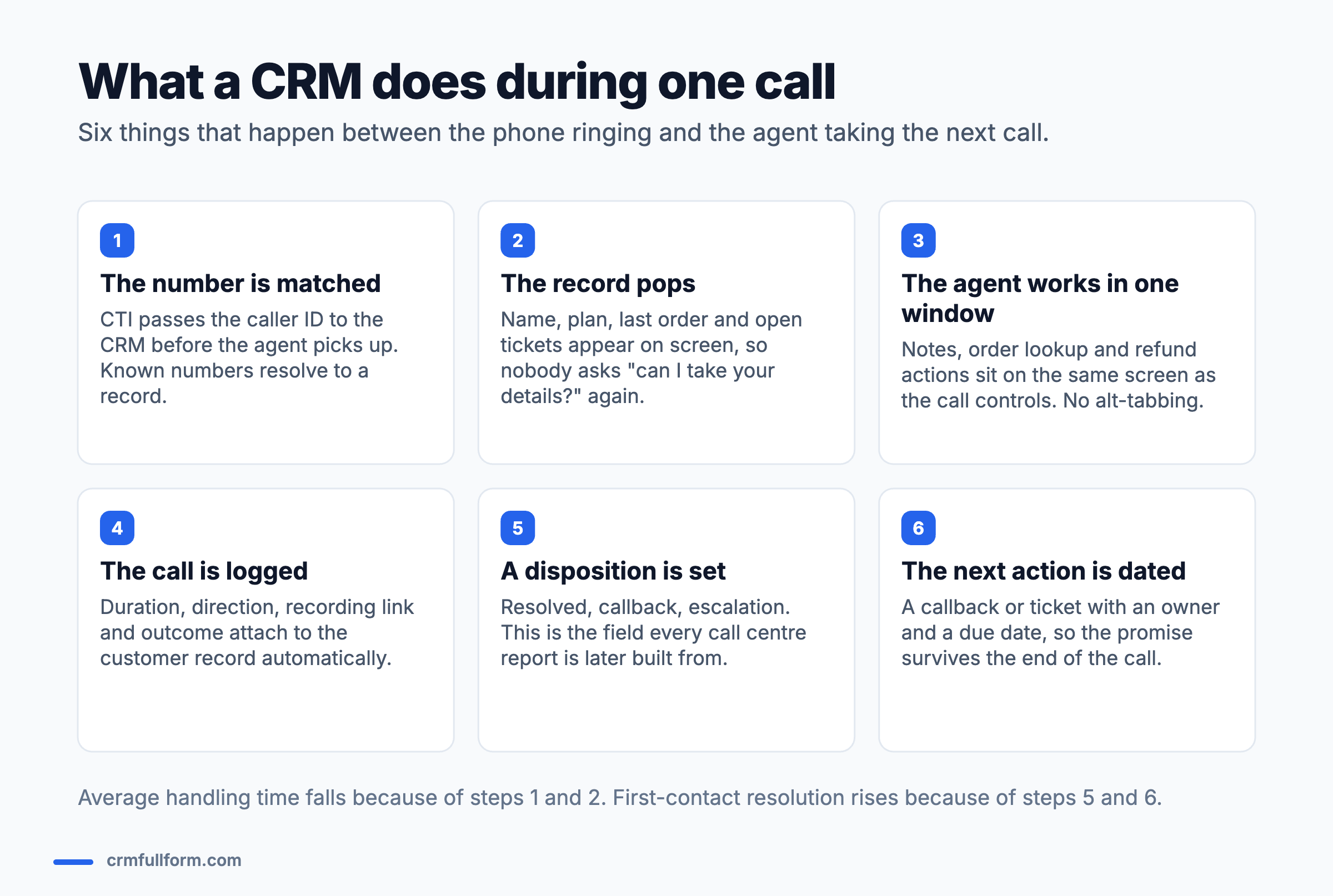
Steps one and two are where average handling time is won or lost. Steps five and six are where first-contact resolution is won or lost — because a promise made on a call with no dated task behind it is a promise the customer will have to chase.
The underlying mechanics are the same as any CRM; if that flow is unfamiliar, how CRM works step by step covers the general version.
The features that actually matter
Vendor feature lists for this category run to eighty items. In practice a small number decide whether agents are faster or slower than they were before.
| Feature | What it does | Why it matters |
|---|---|---|
| CTI / screen pop | Matches caller ID to a record and opens it before the agent answers | The single biggest saving in handling time |
| Click-to-dial | Dials from the record, logging the call automatically | Removes misdials and manual logging on outbound |
| Unified agent desktop | Notes, history, orders and actions in one window | Alt-tabbing between systems is where most wasted seconds go |
| Call logging and recording link | Attaches duration, direction and recording to the record | Makes quality review and dispute handling possible |
| Disposition codes | A required outcome field at wrap-up | Every call centre report is built from this field |
| Knowledge base in-window | Answers beside the call, not in another tab | Drives first-contact resolution more than any other feature |
| Queue and routing rules | Sends the caller to the right skill or language | Reduces transfers, which customers hate more than waiting |
| Omnichannel history | Email, chat and WhatsApp on the same record | Stops the customer repeating themselves across channels |
Two features are commonly oversold. Sentiment analysis is interesting but rarely changes what an agent does mid-call. And AI call summarisation is genuinely useful for wrap-up time, but only if disposition codes are still enforced — a summary is not a queryable field, and your reporting depends on fields. For the general capability list, see features of CRM.
CRM vs contact centre software vs helpdesk
Three product categories overlap here and buyers routinely purchase two that do the same thing.
| What it owns | Example of the core job | |
|---|---|---|
| CRM | The customer record and history | Who is this person and what have we agreed with them? |
| Contact centre platform (CCaaS) | The telephony: queues, IVR, routing, recording | Getting the call to the right agent |
| Helpdesk / ticketing | The issue and its lifecycle | Is this problem resolved, and by when? |
Small operations often use one product that does a passable job of all three. Larger ones usually run a CCaaS platform integrated with a CRM, with ticketing inside the CRM. The decision that matters is which system holds the customer record — that one is the source of truth, and everything else integrates into it. CRM vs ERP covers the same boundary question on the finance side.
The metrics it moves
A call centre CRM should show up in four numbers within a quarter. If it does not, the configuration is wrong rather than the software.
- Average handling time. Falls mainly through screen pop and single-window working. Expect the improvement in the first weeks, not gradually.
- First-contact resolution. Rises through in-window knowledge and full history. This is the metric worth optimising for, because it moves cost and satisfaction together.
- Transfer rate. Falls with better routing and with agents able to see enough to handle the call themselves.
- After-call work. Falls with automatic logging, provided disposition still takes one click rather than a free-text box.
A warning that is worth stating plainly: average handling time is the easiest of these to game and the most damaging to optimise alone. Agents under AHT pressure end calls early, which pushes callers back into the queue and quietly destroys first-contact resolution. Track them as a pair. Putting both on the same CRM dashboard is the simplest way to keep the trade-off visible.
Choosing one
Rather than a vendor ranking that ages badly, five questions decide most of it:
- Does it integrate with the phone system you already have? If CTI does not work properly, nothing else in this article happens. Test this first, with your actual telephony provider.
- Can an agent complete a whole call in one window? Watch a real agent do it during the trial. Count the tabs.
- Are disposition codes required and reportable? Ask to see the report, not the field.
- How does it handle unknown numbers? A large share of calls will not match a record. What happens then decides how much manual entry you have signed up for.
- What does it cost per seat at your real headcount? Per-agent pricing scales differently from per-user sales CRM pricing, and call recording storage is often billed separately.
Zoho, HubSpot, Salesforce Service Cloud, Freshdesk and Zendesk all serve this space at different price points; what Zoho CRM is and what Salesforce CRM is cover two of them in detail, and the CRM software comparison covers the wider field.
Setup mistakes that undo the benefit
- Free-text dispositions. You will get four hundred spellings of “resolved” and no usable report. Use a short picklist.
- Too many required fields at wrap-up. Every extra mandatory field adds seconds to every call. Three is usually the limit before agents start choosing whichever option is fastest.
- No plan for unmatched numbers. Withheld and shared numbers are common. Decide in advance whether agents create a record, search by name, or work anonymously.
- Recording links without retention rules. Call recordings are personal data. Decide how long you keep them before you switch it on, not afterwards.
- Training the buttons, not the process. Agents who understand why disposition matters fill it in properly. Agents taught only where to click will click the first option.
Frequently asked questions
What is CRM for call centers?
A call centre CRM is a customer database integrated with the telephony system. It matches the incoming number to a customer record and opens it before the agent answers, keeps the customer’s history and the agent’s actions in a single window, logs the call automatically with duration and recording link, and captures a disposition code and a dated follow-up when the call ends.
Which CRM is best for call centers?
There is no single best one, and the deciding factor is usually integration rather than features. Salesforce Service Cloud and Zendesk suit larger operations, Freshdesk and Zoho suit mid-size teams, and HubSpot suits smaller ones. Test computer telephony integration with your actual phone provider before comparing anything else, because a CRM that cannot pop the record reliably loses most of its value.
What is the difference between a call centre CRM and contact centre software?
Contact centre software owns the telephony — queues, IVR menus, routing and recording. The CRM owns the customer record and history. Small operations often buy one product that does both adequately; larger ones run a contact centre platform integrated with a separate CRM. The important decision is which system holds the customer record, because that becomes the source of truth.
Is CRM easy to learn for a call centre agent?
Yes, for the day-to-day work. Most agents are competent within a week or two because the interface is deliberately narrow: find the record, read the history, log the call, set a disposition. What takes longer is judgement about what to record and when to escalate, which comes from handling real calls rather than from training.
Does a call centre CRM reduce average handling time?
Usually yes, and quickly, because screen pop and single-window working remove the identification and tab-switching parts of the call. The caution is that handling time should never be optimised on its own — agents under time pressure end calls early, pushing callers back into the queue. Track first-contact resolution alongside it.
Related pages
- CRM full form — what customer relationship management means
- How CRM works — the general process behind the call flow
- Features of CRM — the full capability list
- What is a CRM dashboard? — tracking AHT and FCR together
- Types of CRM — where operational CRM fits
- Best CRM software — platform comparison