
Managing tax-related customer information can become difficult when a business relies on spreadsheets, emails, separate accounting tools, and manual reminders. Important client details may be scattered across different systems, making it harder to track conversations, organize documents, and follow up on time.
CRM tax management refers to using customer relationship management (CRM) software to organize tax-related client information, manage communication, track tasks, and support tax-related workflows. Depending on the platform, it may also include tax settings, invoice management, or integrations with accounting and tax software.
For tax professionals, accountants, and businesses that manage customer transactions, the right CRM can help create a more organized process. However, not every CRM calculates taxes, prepares tax returns, or submits tax filings.
This guide explains what CRM tax means, how tax-related CRM features work, which benefits they offer, and what to consider when choosing a suitable solution.
What Is CRM Tax?
The phrase CRM tax can refer to different things depending on the context.
In business software, it often describes tax-related features within a CRM system or the use of CRM software by tax professionals. These features can help businesses organize customer records, maintain communication histories, manage tax-related tasks, and connect customer information with financial systems.
CRM stands for customer relationship management. A CRM system stores and organizes information about customers, prospects, and business interactions. You can learn more in our guide to what CRM stands for.
Tax-related CRM capabilities may include:
- Client management: Store contact information and maintain client records.
- Task tracking: Organize tax-related appointments, deadlines, and follow-ups.
- Document coordination: Track requests for documents and record their status.
- Invoice and transaction support: Manage relevant sales records and billing information when supported.
- Tax integrations: Connect the CRM with compatible accounting or tax calculation software.
The exact features depend on the CRM product and its configuration. A basic CRM may only manage client relationships, while a more advanced platform may offer billing, tax settings, or integrations.
How Does CRM Tax Management Work?
CRM tax management typically connects customer information with the tasks and processes involved in handling tax-related business activities.
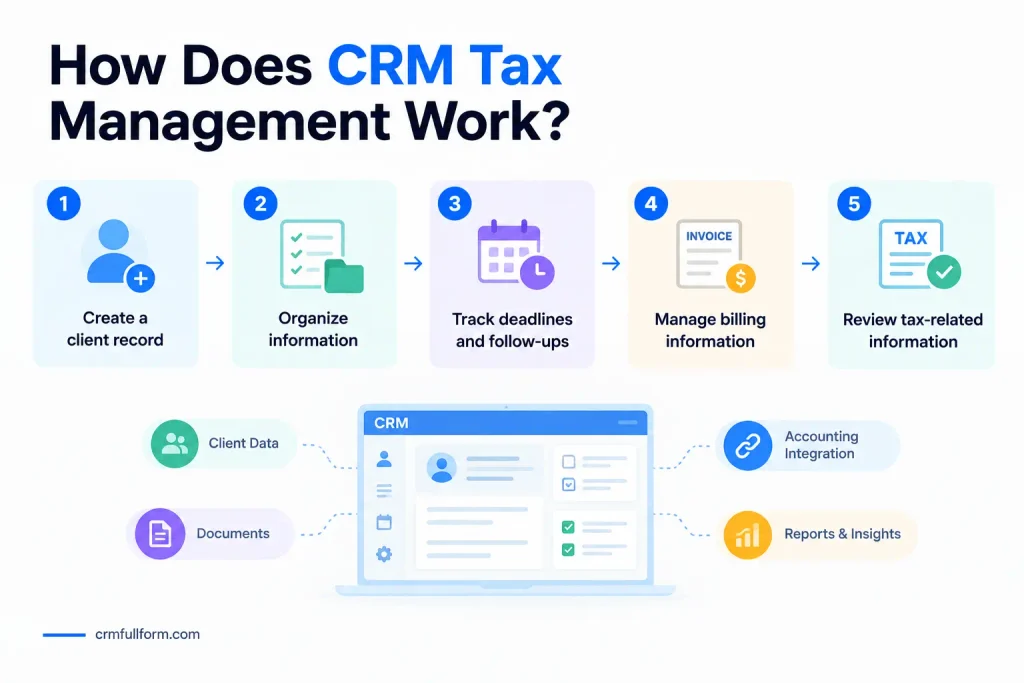
For example, an accounting firm may use a CRM to record a new client’s contact details, track the documents requested from that client, assign work to a team member, and schedule reminders before an important deadline.
A business selling products or services may use a CRM with billing capabilities to manage customer records and invoice information. If tax calculation is supported, the system may apply configured tax rules or send transaction details to an integrated tax engine.
A typical workflow looks like this:
- Create a client record. Store the customer’s contact details and relevant business information.
- Organize the required information. Record document requests, communication history, and outstanding tasks.
- Track deadlines and follow-ups. Assign responsibilities and schedule reminders.
- Manage billing information. Use supported invoicing features or connect the CRM to an accounting system.
- Review tax-related information. Use the appropriate tax software or qualified professional to verify calculations and filing requirements.
The process varies by platform. Businesses should confirm which steps their chosen software actually supports.
For a broader explanation of CRM workflows, read our guide on how CRM works.
Key Features of CRM Tax Software
Not every CRM offers the same tax-related capabilities. Before choosing a system, look for the features that match your business requirements.
1. Client and Contact Management
Client management is one of the most useful CRM features for accounting firms, tax consultants, and financial service providers.
A centralized client record can include contact details, communication history, assigned team members, service notes, and follow-up activities. This makes it easier to understand each client’s situation without searching through multiple email threads or spreadsheets.
For tax professionals handling many clients, organized records can also help teams identify missing information and determine which clients need attention.
Sensitive financial and tax information should only be stored in systems with appropriate security controls, access permissions, and data-handling practices.
2. Tax Deadline and Task Tracking
Tax-related work often involves multiple deadlines, document requests, appointments, and internal review stages.
CRM task management can help teams assign responsibilities, schedule reminders, and monitor progress.
For example, a tax consultant could create a task to request missing documents, assign it to a team member, and schedule a follow-up if the client does not respond.
However, a standard CRM reminder is not necessarily an official tax deadline calculator. Tax deadlines should be verified against the relevant tax authority’s requirements.
3. Document and Communication Tracking
Tax professionals frequently communicate with clients to request financial records, confirm details, and explain the next steps.
A CRM can help maintain a record of these interactions and track whether requested documents have been received. Some specialized platforms also provide secure document portals or client collaboration features.
These capabilities reduce the risk of overlooked messages and make it easier for another team member to understand the current status of a client file.
A CRM should not automatically be treated as a secure document repository. Check its encryption, permissions, retention policies, and suitability for sensitive financial information before uploading documents.
4. Tax Settings and Calculation Support
Some CRM platforms include tax configuration features for products, services, invoices, and other business transactions.
Depending on the system, administrators may be able to configure tax names, rates, regions, and calculation methods. Other platforms rely on external tax engines or accounting software to calculate applicable amounts.
For example, Salesforce Billing supports tax calculations through its own capabilities and integrations with external tax services. The available options depend on the relevant product and configuration.
Read the official Salesforce tax calculation documentation for details.
Important: Tax calculations depend on factors such as jurisdiction, transaction type, customer status, and current rules. Always verify that the software supports the relevant tax requirements.
5. Invoice and Accounting Integration
Businesses often need customer relationship data and financial records to work together.
A CRM integrated with accounting software may help synchronize customer details, invoices, payment information, and other supported records. This can reduce duplicate data entry and make financial information easier to access.
For example, a sales team may manage customer relationships in the CRM while the accounting team handles invoices, reconciliations, and financial reporting in a dedicated accounting application.
Before connecting systems, check which records synchronize, whether changes flow in both directions, and how errors are handled.
6. Reporting and Workflow Automation
Reporting tools can help businesses monitor client activity, outstanding tasks, service workloads, and other operational indicators.
Automation may also support routine activities, such as sending appointment reminders, assigning tasks when a new client is added, or notifying staff when required information is missing.
These features can improve organization, but automated reminders and reports should be reviewed regularly to ensure they remain accurate.
Benefits of Using CRM for Tax Professionals
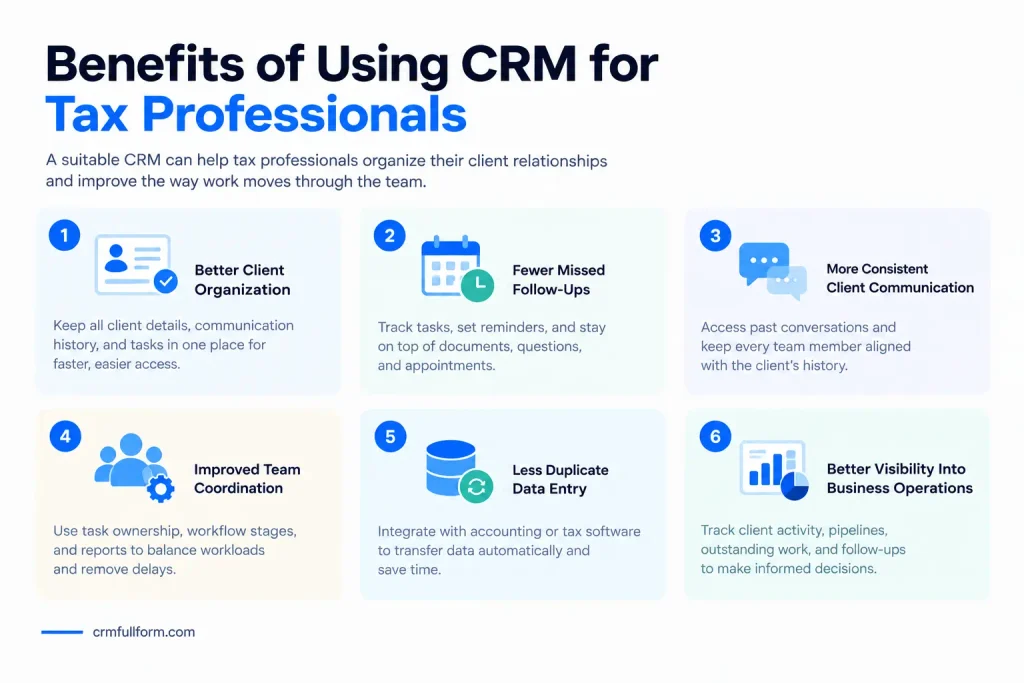
A suitable CRM can help tax professionals organize their client relationships and improve the way work moves through the team.
Better Client Organization
A centralized system gives authorized staff a clearer view of client details, communication history, and current tasks. It becomes easier to find information and understand what needs to happen next.
Fewer Missed Follow-Ups
Task assignments and reminders can help teams follow up on outstanding documents, unanswered questions, and upcoming appointments.
This is particularly useful during busy periods when professionals are handling many clients at once.
More Consistent Client Communication
CRM records help teams maintain continuity when multiple employees work with the same client. Staff can review previous conversations before sending a follow-up or answering a question.
Improved Team Coordination
Managers can use task ownership, workflow stages, and reports to understand workloads and identify delays. This can help teams distribute work more effectively.
Less Duplicate Data Entry
When a CRM integrates properly with accounting or tax software, some customer and transaction information may be transferred automatically.
The time saved depends on the integration, the quality of the data, and the amount of manual work involved in the existing process.
Better Visibility Into Business Operations
Reports can help firms monitor client enquiries, service pipelines, outstanding work, and follow-up activity. These insights support operational decisions, although they do not replace accurate accounting records or professional tax advice.
CRM Software vs. Tax Software vs. Accounting Software
These tools serve related but different purposes. Some platforms combine several functions, but their capabilities should not be assumed to be identical.
| Feature | CRM software | Tax software | Accounting software |
|---|---|---|---|
| Main purpose | Manage customer relationships | Support tax calculations, preparation, or filing | Manage financial records and transactions |
| Contact management | Core feature | May be available | Usually available in some form |
| Client follow-ups | Common feature | Depends on the product | Depends on the product |
| Invoicing | Depends on the platform | May support specific tax-related documents | Common feature |
| Tax calculations | Only if supported or integrated | Often a core capability | Available in many products |
| Tax return preparation | Not usually a core feature | Common in relevant tax products | Depends on the product |
| Financial reporting | Limited or integration-based | Tax-focused reporting | Core accounting reports |
A small business may need only a CRM connected to its accounting software. A tax preparation firm may need specialized tax software alongside a CRM or practice management platform.
For more information about budgeting for these systems, see our guide to CRM system costs.
What Is the Best CRM for Tax Professionals?
There is no single CRM that suits every tax professional. The right option depends on the size of the practice, the type of services offered, the number of clients, and the existing software setup.
Consider these three approaches when evaluating your options.
General-Purpose CRM
A general-purpose CRM can be useful for managing prospective clients, contact records, communication, sales pipelines, and follow-ups.
It may be a good starting point for consultants or firms that need better client organization but do not require complex tax-specific workflows.
Before selecting one, check whether it supports task automation, document tracking, permissions, and the integrations you need.
CRM With Billing and Tax Features
Some CRM platforms provide invoicing, product or service tax settings, and other financial features.
These systems may suit businesses that want to manage customer relationships and certain transaction-related activities in one place.
However, confirm whether tax calculations are built in, require an add-on, or depend on a third-party service. Also verify that the features support the relevant jurisdiction.
Tax Practice Management Software
Specialized tax practice management software is designed around the work performed by accounting and tax firms.
Depending on the product, it may include client onboarding, document collection, task management, deadline tracking, workflow automation, and client portals.
For firms handling large numbers of tax returns, this approach may be more suitable than adapting a general CRM to complex tax workflows.
When comparing products, prioritize the features your team actually needs rather than choosing the system with the longest feature list.
How to Choose the Right CRM Tax Solution
Before purchasing software, evaluate your workflow and identify the problems you want to solve.
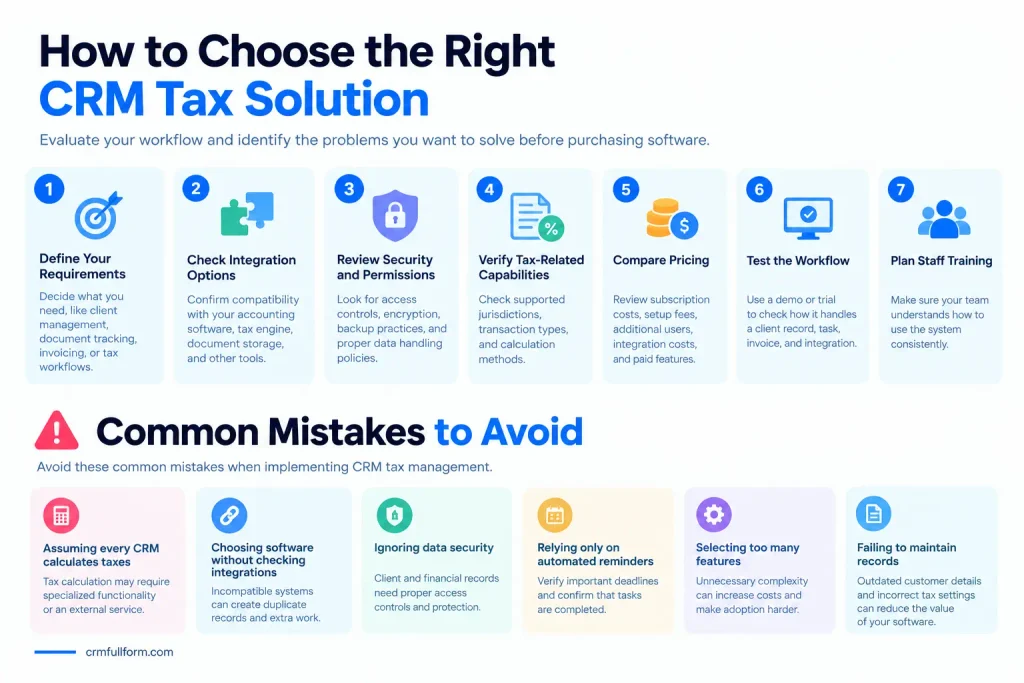
1. Define your requirements. Decide whether you mainly need client management, document tracking, invoicing, tax calculations, or tax preparation workflows.
2. Check integration options. Confirm compatibility with your accounting software, tax engine, document storage, and other essential tools.
3. Review security and permissions. Look for appropriate access controls, authentication, encryption, backup practices, and policies for handling sensitive data.
4. Verify tax-related capabilities. Check which tax jurisdictions, transaction types, and calculation methods are supported. Do not assume that a CRM automatically meets your tax compliance requirements.
5. Compare pricing. Review subscription costs, setup fees, additional user charges, integration costs, and any paid features. Our guide to CRM system costs can help you understand the factors that affect pricing.
6. Test the workflow. Use a demo or trial to see how the software handles a typical client record, task, invoice, and integration before committing.
7. Plan staff training. Even a capable system will not deliver its full value if employees do not understand how to use it consistently.
Common Mistakes to Avoid
When implementing CRM tax management, businesses should avoid several common mistakes.
- Assuming every CRM calculates taxes: Tax calculation may require specialized functionality or an external service.
- Choosing software without checking integrations: Incompatible systems can create duplicate records and extra manual work.
- Ignoring data security: Client and financial records require suitable access controls and protection.
- Relying only on automated reminders: Staff should verify important deadlines and confirm that tasks have been completed.
- Selecting too many features: Unnecessary complexity can increase costs and make adoption harder.
- Failing to maintain records: Outdated customer details and incorrect tax settings can undermine otherwise useful software.
A clear implementation plan, appropriate staff training, and regular reviews can help avoid these problems.
Frequently Asked Questions About CRM Tax
What does CRM tax mean?
CRM tax can refer to tax-related functionality within a customer relationship management system or the use of CRM software to manage clients and workflows in a tax or accounting practice. The exact meaning depends on the context.
Can CRM software calculate taxes?
Some CRM and billing platforms support tax calculations, while others require an integration with accounting software or an external tax engine. Check the features of the specific product before relying on it for tax calculations.
Is CRM tax software the same as tax preparation software?
No. A CRM generally focuses on customer information and relationships. Tax preparation software is designed to support tax calculations, return preparation, or filing. Some products combine multiple functions, but they are not interchangeable by default.
Do tax consultants need a CRM?
A CRM can help tax consultants organize client details, track communication, assign tasks, and manage follow-ups. Whether it is necessary depends on the firm’s size, workload, and existing processes.
Can CRM software help with tax compliance?
A CRM may help organize records, reminders, and workflows that support a firm’s processes. However, using a CRM alone does not guarantee tax compliance. Businesses must follow applicable laws and verify tax calculations, documentation, and filing requirements.
What should I look for in CRM tax software?
Look for reliable client management, task tracking, appropriate security controls, relevant tax or billing features, compatible integrations, and transparent pricing. The best choice depends on your business requirements and the tax rules that apply to you.
Final Thoughts
CRM tax management is about using the right combination of customer relationship tools and tax-related systems to keep information and workflows organized.
For tax professionals, a CRM can improve client communication, follow-ups, task tracking, and team coordination. For businesses managing sales and invoices, a CRM with suitable billing features or tax integrations may also help connect customer records with transaction information.
The key is to understand what the software actually does. Choose a solution based on your workflow, verify its tax-related capabilities, and use appropriate accounting or tax software wherever specialized calculations and filing functions are required.
The result can be a more organized client management process without expecting a CRM to replace every financial or tax tool.