
Choosing a CRM can be surprisingly difficult. Many platforms offer dozens of features, multiple pricing plans, complex dashboards, and automation tools that a small business may never use.
Less Annoying CRM takes a simpler approach. It focuses on the everyday things businesses actually need from a CRM: managing contacts, tracking leads, following up with prospects, organizing sales pipelines, and keeping customer information in one place.
But is it the right CRM for your business? Let’s look at its features, pricing, advantages, limitations, and ideal use cases.
What Is Less Annoying CRM?
Less Annoying CRM is customer relationship management software designed mainly for small businesses, consultants, freelancers, and small sales teams.
A CRM helps businesses organize customer information, leads, sales opportunities, conversations, tasks, and follow-ups in one place. If you’re unfamiliar with the term, you can learn more about the CRM full form and meaning before comparing different CRM platforms.
The main idea behind Less Annoying CRM is straightforward: give small businesses the essential CRM tools they need without making the software unnecessarily complicated.
Less Annoying CRM Features
The platform focuses on the core functions that businesses use to manage customer relationships and sales.
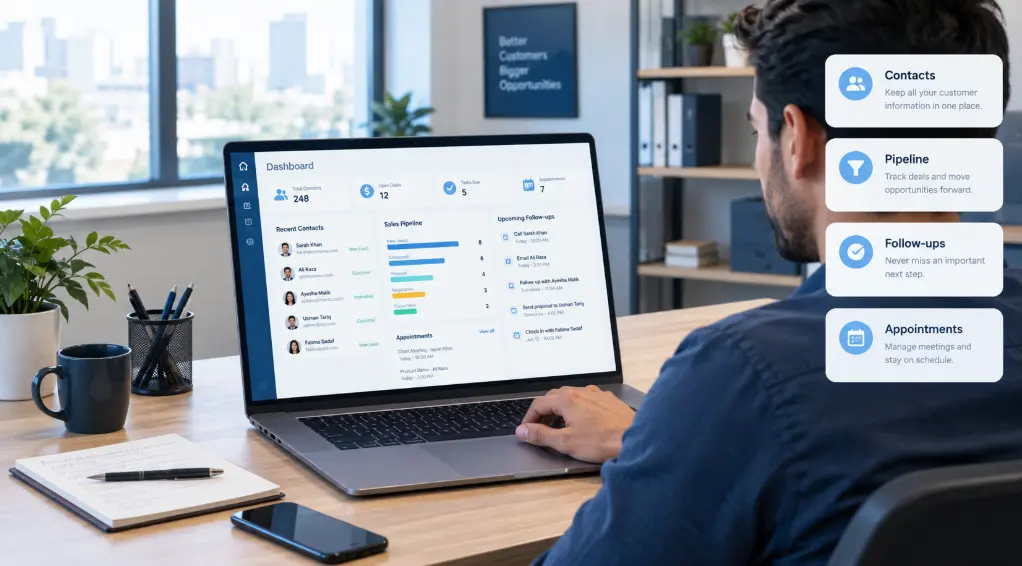
Contact Management
Customer and prospect information can be stored in one central location. This makes it easier to find important details without checking multiple spreadsheets, email accounts, or personal notes.
Custom fields can also be used to store information that is specific to your business.
Sales Pipeline Management
A sales pipeline gives you a visual way to understand where your leads are in the buying process.
For example, a business could use stages such as:
New Lead → Contacted → Meeting → Proposal → Won
Less Annoying CRM allows users to create and customize pipelines according to their sales process.
Tasks and Follow-Ups
A CRM isn’t very useful if sales opportunities are forgotten.
Less Annoying CRM includes task management so users can create follow-up activities and keep track of calls, meetings, emails, and other actions that need to be completed.
This is particularly useful for small teams where one missed follow-up can mean losing a potential customer.
Calendar
Calendar functionality allows users to manage appointments and events alongside their customer information.
For consultants, agencies, sales professionals, and service businesses, keeping appointments connected to customer records can make daily work easier.
Email Logging
Email logging helps keep communication associated with customer records, making it easier to understand previous conversations.
However, businesses looking for advanced email marketing automation should look carefully at the platform’s limitations before choosing it.
Mobile Access
Less Annoying CRM also provides mobile access, allowing users to work with contacts, tasks, events, and sales information when they are away from their computers.
Less Annoying CRM Pricing
One of the most straightforward aspects of Less Annoying CRM is its pricing structure.
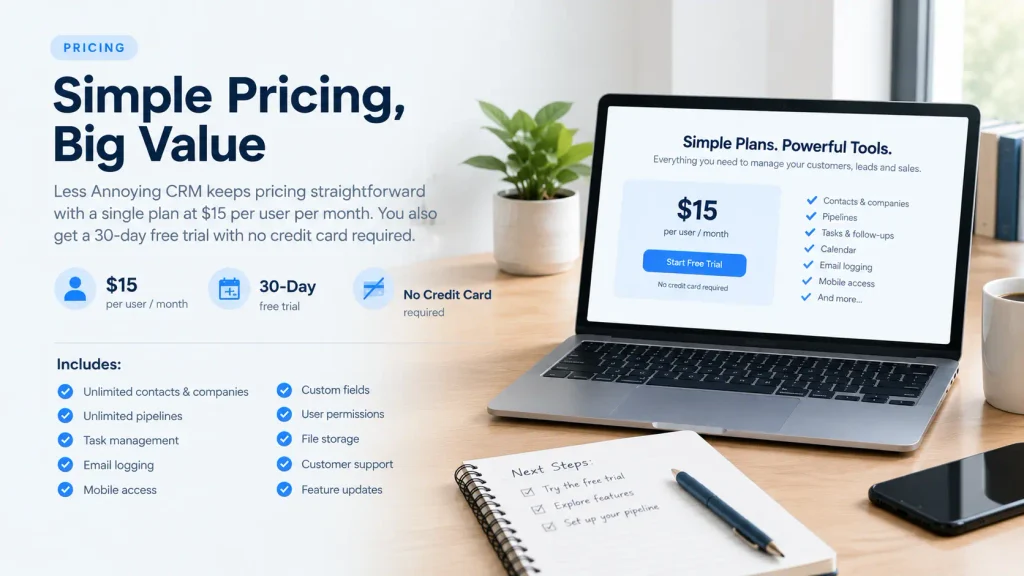
At the time of writing, the official Less Annoying CRM pricing page lists the service at $15 per user per month, with applicable taxes where required.
The company also offers a 30-day free trial, and a credit card is not required to start the trial.
The current plan includes features such as:
- Unlimited contacts and companies
- Unlimited pipelines
- Task management
- Email logging
- Mobile access
- Custom fields
- User permissions
- File storage
- Customer support
- Feature updates
This single-plan approach is different from CRM companies that divide features between several pricing tiers.
For a small business, that can make it easier to understand what you’re paying for before signing up.
Why Do Businesses Choose Less Annoying CRM?
The biggest attraction isn’t necessarily a particular feature. It’s the platform’s emphasis on simplicity.
A small business may not need advanced sales forecasting, complex marketing automation, or dozens of integrations.
It may simply need to answer four questions:
- Who is this customer?
- What stage is the deal in?
- What happened last time?
- What do I need to do next?
A simple CRM can handle these everyday requirements without forcing a small team to learn a complicated enterprise system.
Advantages of Less Annoying CRM
Simple Interface
The platform is designed for users who want to get into the CRM and start working rather than spend considerable time learning complicated workflows.
Straightforward Pricing
There is one main paid plan rather than several feature-based pricing levels. The official pricing currently lists it at $15 per user per month.
Core CRM Functionality
Contacts, pipelines, tasks, calendars, email logging, custom fields, and mobile access cover many of the basic requirements of small businesses.
Designed for Small Businesses
The platform specifically focuses on small-business CRM needs rather than trying to become an all-in-one enterprise platform.
Free Trial
Businesses can test the software before committing to a subscription through its 30-day trial.
Less Annoying CRM Limitations
Simple software isn’t automatically the right software for every business.
The main limitations become more noticeable when a company needs advanced CRM functionality.
Limited Advanced Automation
Businesses looking for sophisticated workflow automation, complex automated email sequences, or advanced lead nurturing may need a more powerful platform.
Independent CRM reviews have also identified automation as an area where Less Annoying CRM has fewer capabilities than some larger competitors. TechRadar’s review of Less Annoying CRM provides an independent look at its features and limitations.
Advanced Reporting
A small company may only need basic pipeline visibility.
Larger sales organizations may require detailed forecasting, advanced dashboards, custom analytics, and more sophisticated reporting.
Integrations
Less Annoying CRM supports integrations, including connections through third-party services, but businesses that depend on a large ecosystem of specialized tools should check integration requirements before switching.
This is important because CRM platforms with larger ecosystems may offer more ready-made integrations.
Not Designed as a Full Marketing Platform
If your primary requirement is email marketing, complex customer journeys, advertising automation, or advanced lead nurturing, a dedicated marketing automation platform may be a better fit.
Less Annoying CRM vs. More Complex CRM Software
The question isn’t simply whether another CRM has more features.
Almost every large CRM platform will have more features.
The more useful question is whether those additional features are actually necessary for your business.
A five-person consulting company may mainly need:
- Contact management
- Deal tracking
- Tasks
- Follow-ups
- Calendar management
- Customer notes
A larger sales organization might need:
- Lead scoring
- Automated workflows
- Advanced forecasting
- Marketing automation
- Complex reporting
- Multiple integrations
- Enterprise permissions
Those are two very different CRM requirements.
That is why the simplicity of Less Annoying CRM can be useful for one business while being restrictive for another.
Who Should Use Less Annoying CRM?
Less Annoying CRM may be a suitable option for:
- Small businesses
- Freelancers
- Consultants
- Agencies
- Small sales teams
- Service businesses
- Businesses replacing spreadsheets
- Teams new to CRM software
It can be especially useful when the main problem is keeping customer information organized and remembering follow-ups.
Who Should Look at Other CRM Options?
You should compare other platforms if you need:
- Advanced marketing automation
- Complex workflow automation
- Lead scoring
- Sophisticated sales forecasting
- Advanced analytics
- Extensive third-party integrations
- Enterprise-level customization
- Large-scale marketing campaigns
That doesn’t mean Less Annoying CRM is inadequate. It simply means that its design philosophy is focused on a simpler CRM experience.
Is Less Annoying CRM Worth It?
For a small business that wants to manage contacts, leads, sales opportunities, tasks, and follow-ups without dealing with unnecessary complexity, Less Annoying CRM is worth considering.
Its current $15-per-user monthly pricing and single-plan approach make the cost relatively easy to understand, while the 30-day trial gives businesses an opportunity to test the workflow before paying.
On the other hand, businesses that need extensive automation, advanced reporting, complex marketing tools, or enterprise-level integrations should compare other CRM solutions as well.
The platform’s real strength is its focus: it tries to make everyday CRM work easier rather than trying to become every business tool in one package.
Frequently Asked Questions
Is Less Annoying CRM free?
It does not offer a permanent free plan, but users can start a 30-day free trial. The company says a credit card is not required to begin the trial.
How much does Less Annoying CRM cost?
The current published price is $15 per user per month, plus applicable taxes.
Is Less Annoying CRM good for small businesses?
Yes, the platform is specifically designed around small-business CRM requirements such as contact management, sales pipelines, tasks, calendars, and follow-ups.
Does Less Annoying CRM have a mobile app?
Less Annoying CRM provides mobile access, allowing users to manage CRM information away from their desktop.
Does Less Annoying CRM have automation?
It provides basic CRM workflow functionality, but businesses requiring sophisticated automation and complex email sequences should compare its capabilities with more advanced CRM platforms.
What is the main advantage of Less Annoying CRM?
Its main advantage is simplicity. It focuses on essential CRM tasks instead of overwhelming small businesses with a large number of advanced features.
Who is Less Annoying CRM best for?
It is primarily suited to small businesses, consultants, freelancers, agencies, and small sales teams that want straightforward customer and sales management.