
Why Do You Need a CRM?
You may not need a CRM when you have only a handful of customers and a simple sales process. But as your business grows, customer information can quickly become scattered across email, spreadsheets, notes, calendars, and different apps.
That is usually when a CRM starts to make sense.
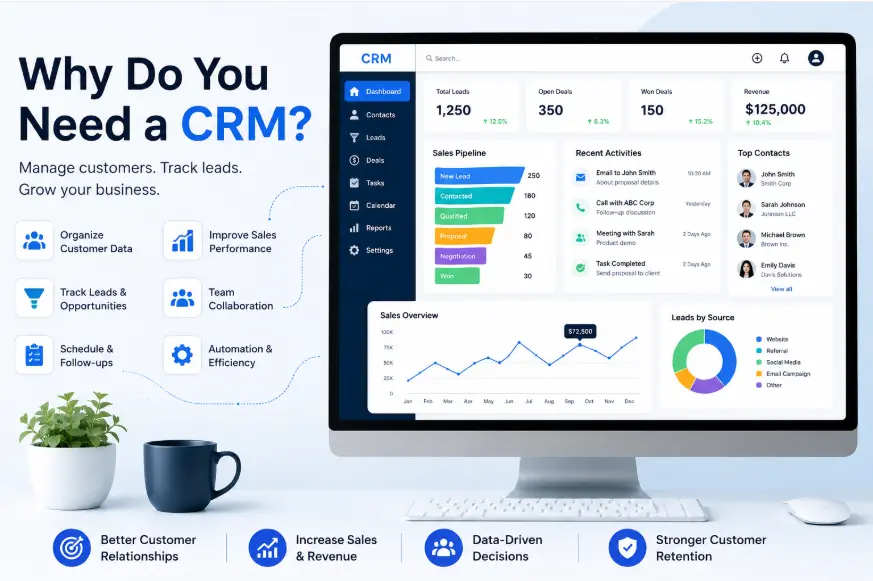
A CRM (customer relationship management) system gives a business a central place to organize information about prospects and customers, track interactions, manage sales opportunities, and coordinate follow-ups. CRM software can support sales, marketing, customer service, and other customer-facing activities.Salesforce’s CRM overview
So, why
The short answer is simple: a CRM helps you manage customer relationships in a more organized and repeatable way. Instead of relying on memory or scattered files, your team can work from a shared system that shows what has happened, what is happening, and what needs to happen next.
What is a CRM?
CRM stands for customer relationship management .
The term refers to the strategies, processes, and software businesses use to manage interactions with current and potential customers.
A CRM system can store information such as:
- Customer names and contact details
- Company information
- Leads and prospects
- S
- Previous interactions
- Emails and calls
- Meetings
- Tasks and reminders
- Customer notes
- Purchase information
- Service requests
- Sales activity
The exact features depend on the CRM you choose, but the central idea is the same: put useful customer information into a system that people can actually work with.
If you are new to the subject, start with our guide to CRM full form and meaningto understand the basic terminology.
Why Do You Need a CRM?
A CRM becomes valuable when managing customer relationships manually starts creating problems.
You may need one because:
- Leads are being forgotten
- Follow-u
- Customer information is spread across different tools
- Salespeople cannot easily see which deals are active
- Employees have different versions of customer information
- Managers cannot get a clear view of the sales pipeline
- Reporting takes too much manual work
- Customer history is difficult to find
- Repetitive tasks are consuming employees’ time
These problems do not necessarily appear all at once.
A business might start with a spreadsheet and email inbox. As the number of customers and prospects increases, that same process becomes difficult to maintain.
A CRM provides structure before those problems become difficult
1. A CRM Keeps Customer Information Organized
One of the biggest reasons businesses use CRM software is simple organization.
Without a CRM, customer information may be stored in several places:
Gmail → Spreadsheet → Notes → Calendar → Cloud storage → Messaging apps
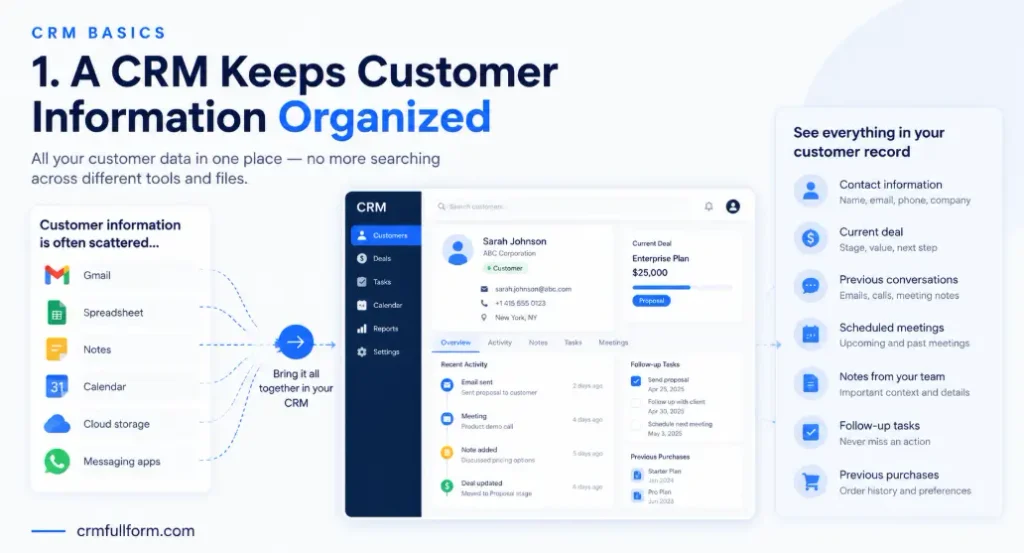
Finding one customer’s complete history can then require searching through multiple systems.
A CRM can bring relevant information together in a centralized customer record.
For example, when you open a customer’s profile, you might see:
- Contact information
- Current deal
- Previous conversations
- Scheduled meetings
- Notes from sales representatives
- Follow-up tasks
- Previous purchases
This gives employees context without forcing them to reconstruct the relationship from separate sources.
Microsoft describes CRM systems as centralized solutions for managing, tracking, and storing information about current and potential customers.Microsoft’s CRM explanation
If you want to understand what a CRM can actually do, see our guide to CRM features.
2. A CRM Helps You Manage Leads
Getting leads is only the beginning.
You also need to know what happens to those leads after they enter your business.
For example:
New Lead → Contacted → Qualified → Meeting → Proposal → Negotiation → Won/Lost
A CRM can help you organize prospects according to these stages.
This makes it easier to answer practical questions:
- Which leads are new?
- Who has already been contacted?
- Which prospects are qualified?
- Which deals have received proposals?
- Which op
- Which leads have gone quiet?
Without this visibility, salespeople may spend time looking for information instead of working on opportunities.
For businesses comparing different approaches, our guide to the types of CRMexplains how CRM systems can differ depending on their purpose.
3. A CRM Makes Follow-Ups Easier
A missed follow-up can be more than an administrative mistake.
A prospect may have shown interest but simply needs more time. If nobody follows up, the opportunity can disappear.
A CRM lets you connect follow-up activities with specific customer records or deals.
For example:
Customer: ABC Company
Last contact: Monday
Status: Proposal sent
Next action: Follow up Friday
That is much easier to manage than trying to remember the task or searching through an old email thread.
This becomes particularly useful when a salesperson manages many prospects at the same time.
4. A CRM Gives You a Clear Sales Pipeline
A sales pipeline shows where opportunities currently stand.
Instead of having a long list of names, you can organize opportunities by stage.
| Sales Stage | Example Purpose |
|---|---|
| New Lead | Recently received prospect |
| Qualified | Prospect fits your criteria |
| Discovery | Understanding needs and requirements |
| Proposal | Offer or quotation sent |
| Negotiation | Discussing terms |
| Won | Customer purchased |
| Lost | Opportunity closed without a sale |
The exact stages should match your business.
A consulting company may have a very different sales process from a real estate agency or SaaS company.
The important thing is that everyone understands what each stage means.
5. A CRM Helps Your Team Work From the Same Information
A CRM becomes especially useful when multiple people communicate with the same customer.
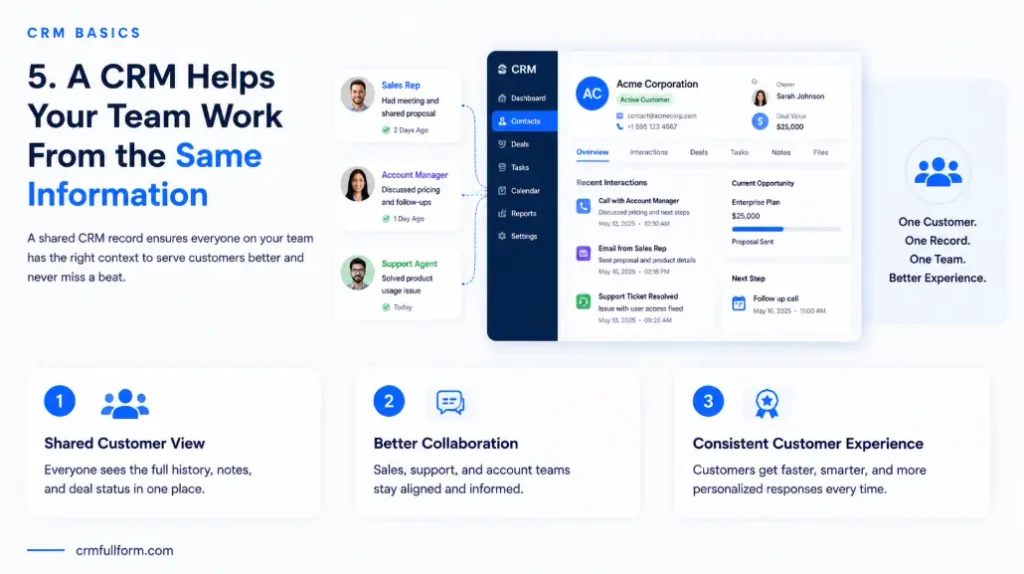
Imagine a prospect has been speaking with one salesperson for two weeks. That salesperson is unavailable when the prospect calls again.
If the informa
With a shared CRM record, the employee can potentially review the customer’s previous interactions and current opportunity.
This creates a more consistent customer experience.
A CRM is designed to centralize customer and prospect information so relevant employees can access and work with the same data.
6. A CRM Gives You a Complete Customer History
A customer relationship is not limited to the latest conversation.
Over time, a customer may:
- Request information
- Buy a product
- Contact support
- Upgrade to a service
- Submit a complaint
- Speak with multiple employees
- Request another quotation
Keeping that history available gives your team more context.
For example, a support representative who can see previous interactions does not have to start every conversation from zero.
The same information can also help sales teams understand previous purchases and open opportunities.
This is one reason CRM software is used across sales, marketing, and customer service rather than being limited to sales teams.
7. A CRM Reduces Repetitive Administrative Work
CRM software can also reduce the amount of manual work involved in managing customer relationships.
Depending on the platform, automation can help with tasks such as:
- Assigning leads
- Creating follow-up tasks
- Sending internal notifications
- Updating record
- Moving deals between stages
- Generating reports
- Recording activities
- Triggering marketing workflows
Not every CRM offers the same automation capabilities.
A basic CRM may provide simple reminders and workflow rules, while a more advanced platform may connect multiple departments and automate more complicated processes.
The goal is not to automate everything.
The goal is to reduce repetitive work where automation makes sense.
8. A CRM Helps Sales, Marketing, and Service Work Together
Customer information often becomes fragmented when different departments use different systems.
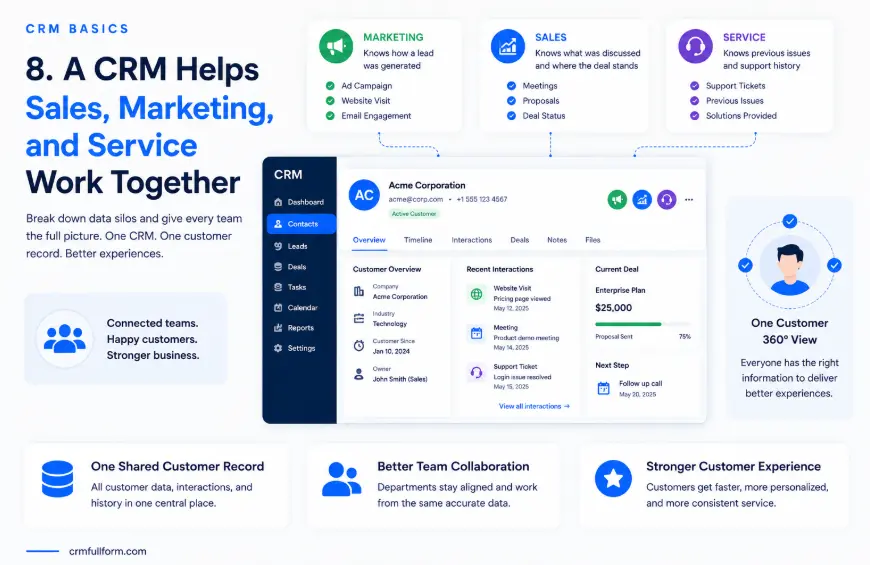
Marketing may know how someone became a lead.
Sales may know what the prospect discussed during a meeting.
Customer service may know about a previous problem.
If these teams cannot access relevant information, the customer may receive disconnected experiences.
A CRM can help bring these interactions into a shared customer record.
This makes CRM software more than a sales database. Modern CRM platforms can support sales, marketing, service, and other customer-facing operations from connected customer data.
9. A CRM Makes Reporting Easier
Business owners and managers often need answers to questions such as:
- How many leads do we have?
- How many opportunities are open?
- Which sales stage has the most deals?
- Which deals have been inactive?
- How much business is currently in the pipeline?
- Which activities are producing opportunities?
- How are salespeople
Without a CRM, answering these questions may require manually combining information from spreadsheets and other systems.
CRM reporting can provide a more structured way to analyze customer and sales information.
The reports are only as useful as the data, however.
If employees do not update records or enter inconsistent information, the resulting reports may be misleading.
10. A CRM Helps You Scale Without Relying on Memory
When a business is very small, the owner may personally know almost every customer.
That changes as the company grows.
You may eventually have:
- More customers
- More salespeople
- More leads
- More products
- More communication
- More customer service requests
- More follow-ups
At that point, relying on memory becomes risky.
A CRM creates a repeatable system for handling customer information and activities.
That means a new employee can learn how your sales process works without needing to understand everything through informal conversations.
Who Needs a CRM?
There is no universal customer or employee count that determines when a CRM becomes necessary.
The better question is:
How difficult is it to manage your customer relationships with the tools you currently have?
Small Businesses
A small business may benefit from CRM software when leads are increasing, customer information is becoming difficult to organize, or several employees are handling customers.
A simple CRM may be enough.
You do not necessarily need an enterprise platform with hundreds of features.
For more guidance, see our guide to CRM for small business.
Freelancers and Consultants
Freelancers can often manage a small client list using email and spreadsheets.
A CRM becomes more useful when there are many prospects, recurring follow-ups, multiple proposals, or a growing list of past clients.
Sales Teams
Sales teams usually benefit from having a shared pipeline.
Instead of asking every salesperson for a manual update, managers can review opportunities within the CRM.
Marketing Teams
Marketing teams can use CRM data to understand leads and customers and connect marketing activity with customer information.
Customer Service Teams
Customer service representatives can use customer records to understand previous conversations, purchases, and service requests.
CRM software can therefore support much more than sales.
Do You Need a CRM If You Are a Small Business?
Not nec
A CRM should solve a real problem.
If you have ten customers, one salesperson, very few follow-ups, and a spreadsheet that works perfectly, buying complicated software may create more work than it saves.
But consider a different situation.
You have 200 leads, three salespeople, dozens of active opportunities, regular follow-ups, and customers contacting different employees.
A spreadsheet may still technically work, but managing it can become increasingly difficult.
That is the point where CRM software becomes much more attractive.
You can also explore our detailed guide to CRM benefitsto understand where CRM software can provide value.
Can a Spreadsheet Replace a CRM?
Sometimes.
A spreadsheet can be perfectly adequate for basic customer tracking.
It may work when you have:
- A small number of leads
- One or two people managing customers
- A simple sales process
- Few follow-ups
- Limited reporting needs
- Little need for automation
A dedicated CRM becomes more useful when you need:
- Multiple sales pipelines
- Shared customer records
- Automated workflows
- Detailed activity history
- Lead assignment
- Advanced reporting
- Structured follow-ups
- Integration with other business systems
The issue is not that spreadsheets are bad.
The issue is that a spreadsheet is a general-purpose tool, while CRM software is specifically designed around customer and relationship management.
What Happens If You Do Not Use a CRM?
Nothing automatically goes
Many businesses operate successfully without dedicated CRM software.
The risks appear when the manual system no longer matches the complexity of the business.
You may experience:
- Forgotten follow-ups
- Duplicate customer records
- Lost contact information
- Inconsistent sales stages
- Poor visibility into opportunities
- Difficult reporting
- Dependence on individual employees
- More administrative work
The key question is whether your current process gives you enough control.
If it does, you may not need a CRM yet.
If it does not, continuing with the same system may become increasingly expensive in terms of time and missed opportunities.
Signs You Are Ready for a CRM
You may be ready for CRM software if several of these statements sound familiar:
- “I cannot quickly find a customer’s complete history.”
- “We sometimes forget to follow up.”
- “Our sales pipeline is difficult to understand.”
- “Different employees have different customer information.”
- “We use several spreadsheets to track customers.”
- “Managers have to ask salespeople for pipeline updates.”
- “Preparing sales reports takes too long.”
- “Leads sometimes get lost.”
- “We are growing and our current system is becoming difficult to maintain.”
- “Too many customer-management tasks depend on one person.”
These are practical signs that your current process may need more structure.
When You Probably Do Not Need a CRM
A CRM is not automatically the right choice for every business.
You may not need one if:
- You have very few customers
- Your sales process is extremely simple
- One person handles customer relationships
- You rarely need follow-ups
- Your current spreadsheet is easy to maintain
- You can find customer information quickly
- You do not need sales reporting
- Your
There is no advantage in adding software simply for the sake of having software.
The system should earn its place in your workflow.
How to Choose the Right CRM
If you decide you need one, start with your problems rather than the software’s feature list.
1. Define What You Want to Fix
Write down the three biggest problems with your current process.
For example:
- Leads are being forgotten.
- Customer information is spread across spreadsheets.
- Sales reports take too long.
Use those problems to evaluate CRM products.
2. Identify Your Must-Have Features
Depending on your business, you may need:
- Contact management
- Lead management
- Sales pipeline
- Task management
- Email integration
- Calendar integration
- Reporting
- Automation
- Customer support tools
- Marketing integration
Do not pay for advanced features you will never use.
3. Consider Your Team
A CRM that works for one salesperson may not be suitable for a 50-person sales department.
Think about:
- Number of users
- Departments
- Permission requirements
- Sales processes
- Reporting needs
- Integrations
- Training requirements
4. Check Ease of Use
A CRM can have excellent features and still fail if your team refuses to use it.
A simple system that employees update consistently can be more useful than a sophisticated system that nobody maintains.
5. Think About Future Growth
Do not choose a CRM only for today’s requirements.
If you expect your sales team or customer base to grow, consider whether the system can grow with you.
Before comparing specific platforms, you can read our guide to best CRM softwareto understand the main options and features to consider.
Common CRM Mistakes
Choosing a CRM Because It Has the Most Features
More features do not automatically mean a better CRM.
Choose based on your current workflow.
Making the System Too Complicated
If every customer interaction requires excessive data entry, employees may stop keeping records updated.
Ignoring Data Quality
A CRM filled with duplicate, outdated, or incomplete information will not provide reliable insights.
Expecting Instant Results
CRM implementation is not simply installing software.
Your team needs clear processes, training, and consistent usage.
Treating the CRM as Only a Sales Tool
A CRM can also support marketing, customer service, account management, reporting, and collaboration.
Its value increases when relevant teams use the same customer information appropriately.
Is a CRM Worth It?
For the right business, yes.
But CRM software is not valuable simply because it is called a CRM.
Its value comes from solving specific problems.
If you are losing track of leads, missing follow-ups, searching through multiple systems for customer information, or struggling to understand your sales pipeline, a CRM can provide the structure you need.
If your business is still small and your current process works well, you can continue using your existing tools until the need becomes clearer.
The goal is not to replace every spreadsheet or application.
The goal is to create a reliable way to manage customer relationships as your business grows.
Frequently Asked Questions
Why do you need a CRM?
You need a CRM when managing customer information, leads, sales opportunities, and follow-ups becomes difficult with your existing tools. A CRM provides a centralized system for organizing customer relationships and sales activity.
What is the main purpose of a CRM?
The main purpose of a CRM is to help businesses manage relationships and interactions with current and potential customers. It can organize customer data, track sales opportunities, manage activities, and support customer service.
What are the biggest benefits of CRM software?
The best benefits include organized customer information, better lead tracking, easier follow-ups, sales pipeline visibility, team collaboration, customer history, reporting, and automation.
Does every business need a CRM?
No. A business with very few customers and a simple sales process may not need dedicated CRM software. The need usually becomes clearer as customer relationships, sales activity, and team collaboration become more complex.
Can I use Excel instead of a CRM?
Yes, for basic customer tracking. Excel or another spreadsheet can work for a small and simple operation. A CRM becomes more useful when you need structured pipelines, shared records, automated workflows, activity history, and advanced reporting.
When should a small business get a CRM?
A small business should consider a CRM when leads or customers become difficult to track, follow-ups are being missed, multiple people need access to customer information, or manual reporting is taking too much time.
Final Thoughts
Why do you need a CRM?
You need one when your customer-management process starts becoming harder to control than it should be.
A CRM can give your business one organized place for customer information, leads, sales opportunities, activities, and follow-ups. It can also help teams collaborate, automate repetitive work, and make customer data easier to use.
But you don’t need the most expensive or complicated CRM available.
Start with the problems you are trying to solve. If email and a spreadsheet are still doing the job, there is no reason to change simply because other businesses use CRM software.
When leads start slipping through the cracks, customer history becomes difficult to find, and your sales process becomes difficult to manage, that is a strong sign that you need a CRM .