
A customer submits a form asking about a Ford F-150. Another calls to ask about financing. Someone else visits the showroom, takes a test drive, and says they will think about it.
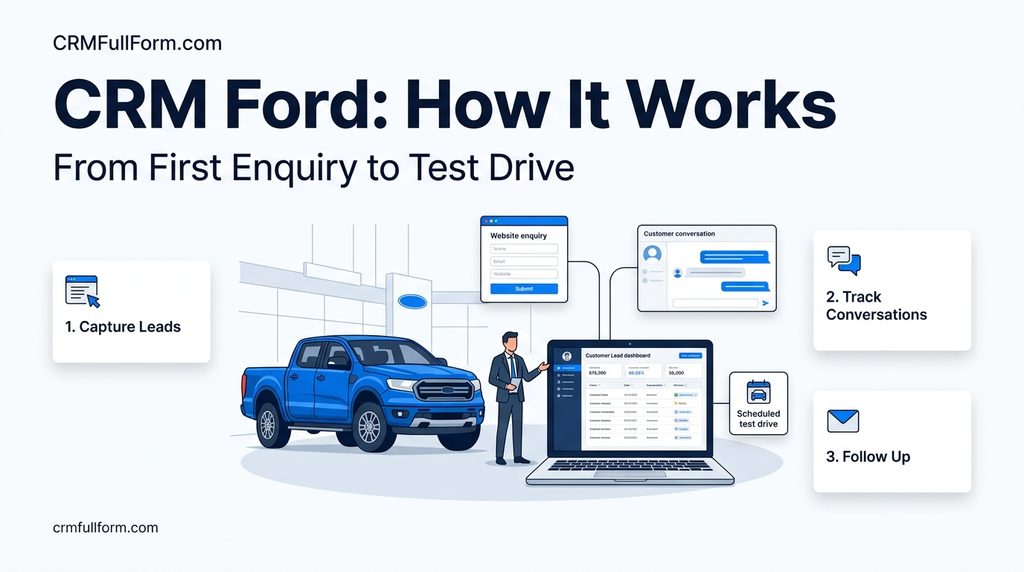
Three potential customers. Three different conversations. And three opportunities that can easily get lost if nobody records what happened next.
That is one reason customer relationship management software matters to car dealerships.
If you searched for CRM Ford, you may be looking for the CRM system used by Ford dealerships, information about FordDirect, or software that helps Ford dealers manage sales leads and customer communication. These are related, but they are not exactly the same thing.
FordDirect works with Ford and Lincoln retailers on digital marketing, customer engagement, and dealership technology. Its CRM ecosystem also includes specialist providers such as DriveCentric.
This guide explains the difference, what these systems do, and what a dealership should check before choosing a CRM.
What Is CRM Ford?
CRM stands for Customer Relationship Management. In the context of Ford dealerships, it refers to software and related tools that help sales teams manage prospective buyers, customer records, conversations, follow-ups, and sales opportunities.
There is not one universal CRM system that every Ford dealership necessarily uses.
One important organization in this space is FordDirect, a joint venture between Ford Motor Company and its dealers. It provides digital marketing and technology-related services for Ford dealers and Lincoln retailers.
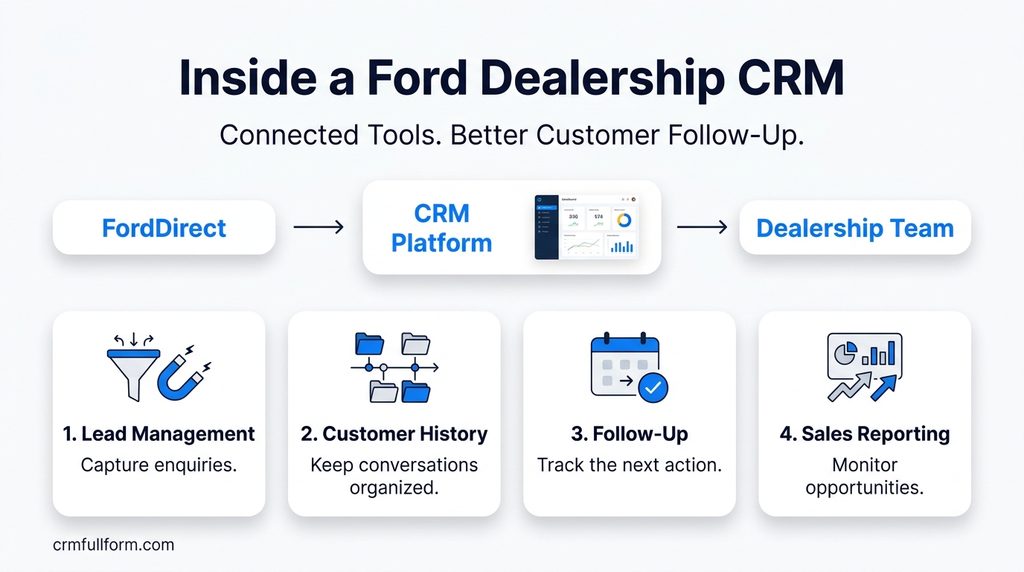
FordDirect also has partnerships with CRM providers. For example, DriveCentric’s FordDirect solution is a dealership CRM designed to bring customer communication, lead follow-up, sales activity, and related tools together.
So, when someone searches for CRM Ford, they may be looking for a Ford-related CRM product, the software available through a dealership’s existing setup, or a general explanation of automotive CRM.
The first step is to identify which of these they need.
Which CRM Do Ford Dealerships Use?
The answer depends on the dealership and the technology it has adopted.
FordDirect’s partnership with DriveCentric, announced in May 2024, brought together FordDirect’s dealership data and digital resources with DriveCentric’s CRM technology. You can read the details in the official partnership announcement.
FordDirect also publishes information about Certified Lead Management Services, which explains how leads can be delivered to participating dealerships’ CRMs. Its Canadian Integrated Lead Management service, for example, requires the dealership’s CRM provider to be on an approved list.
This illustrates an important point: a CRM is often part of a wider dealership technology setup, not an isolated application.
A dealership may need to consider its lead sources, inventory system, existing customer records, manufacturer-related services, and other integrations before deciding which CRM is suitable.
If you are trying to access a CRM for your own dealership, contact your dealership’s administrator or relevant FordDirect representative to confirm which system you are expected to use.
What Does a Ford Dealership CRM Actually Do?
Consider a customer who enquires about a new Ford vehicle but is not ready to buy immediately.
Without a clear process, a salesperson might make one call, leave a note on a phone, and forget to follow up the following week. Another employee might contact the same person without knowing about the earlier conversation.
A CRM gives the dealership a more organized way to handle that situation.
1. Keeps track of sales leads
A CRM can collect and organize enquiries from supported sources, such as dealership websites, phone calls, email, and online advertising.
The team can record the customer’s interests, assign responsibility, and see which enquiries still need attention.
This becomes particularly useful when several salespeople handle incoming leads.
2. Records customer conversations
A customer’s buying decision rarely happens in one conversation.
They may ask about vehicle availability, compare models, discuss a trade-in, or request more information before booking a test drive.
A CRM can keep relevant notes and interaction history together, depending on the platform and its integrations. This helps the next employee understand the conversation instead of making the customer start again.
3. Helps salespeople follow up
Some customers are ready to visit the dealership today. Others need a few days or weeks.
CRM tasks and reminders help salespeople plan their next contact rather than relying on memory. Certain systems also support automated communication and follow-up workflows.
Automation still needs sensible rules. A customer who has already purchased a vehicle should not keep receiving messages asking whether they are interested in buying one.
4. Tracks opportunities from enquiry to sale
A sales manager needs to know more than how many enquiries arrived.
The team should also be able to identify which customers were contacted, which appointments were booked, which opportunities are progressing, and which deals have stalled.
A CRM pipeline provides a structured view of this process. It can also help managers identify where the team needs support.
For a broader explanation of the process, see our guide on how CRM works.
5. Brings communication into one place
Depending on the product, a dealership CRM may support or integrate with calls, text messages, email, and video communication.
DriveCentric, for example, promotes unified communication and sales activity as part of its FordDirect-related offering.
The practical benefit is straightforward: employees can spend less time searching across disconnected tools and more time handling customer enquiries.
6. Gives managers a clearer view of sales activity
Dealership managers can use CRM reporting to review lead handling, follow-up activity, appointment progress, and pipeline movement.
The most useful reports answer specific questions:
- Are new enquiries being assigned promptly?
- Which opportunities have not received a recent follow-up?
- How many appointments are progressing to the next stage?
- Which lead sources generate opportunities that turn into sales?
The available reports depend on the CRM and its data connections. A dashboard is only useful when the information behind it is accurate and employees keep records up to date.
Ford CRM Example: From Website Enquiry to Test Drive
Imagine a customer fills out a form on a Ford dealership’s website asking about a particular vehicle.
Here is how the process could work when the dealership has a properly configured CRM.
First, the enquiry is recorded. The customer’s details and vehicle interest enter the system, either automatically through an integration or through manual entry.
Next, someone takes responsibility. The enquiry is assigned to a salesperson or the appropriate sales team.
The salesperson makes contact. They discuss the customer’s requirements and record useful information in the CRM.
An appointment is arranged. If the customer wants to see the vehicle, the salesperson schedules a showroom visit or test drive and records the next action.
The team follows up. If the customer does not attend or needs more time, the salesperson can arrange another contact rather than losing track of the opportunity.
The outcome is recorded. The opportunity is updated when the customer buys, decides not to proceed, or remains interested.
The CRM does not make the sale by itself. It makes the process easier to manage and gives the dealership a better chance of handling every enquiry consistently.
Ford CRM vs. a General Automotive CRM
A Ford dealership does not necessarily need a completely different type of software from every other car dealer. Many automotive CRM platforms support similar core tasks, but integrations and manufacturer-specific requirements can make a real difference.
| What to compare | Why it matters |
|---|---|
| FordDirect compatibility | Confirms whether the system supports the relevant services and workflows your dealership needs |
| Lead integration | Shows whether enquiries from your actual sources can enter the CRM correctly |
| Customer communication | Determines which calls, messages, emails, and other interactions can be managed or recorded |
| Sales pipeline | Helps the team track opportunities and next actions |
| Inventory connection | Can connect customer interest with available vehicles when supported |
| Reporting | Helps managers evaluate lead handling and sales progress |
| Mobile access | Lets employees handle customer activity away from their desks |
| Data access and migration | Matters if the dealership changes systems or needs to export records |
For a wider comparison of dealership-focused software, read our guide to automotive CRM.
The key is to compare actual functionality, not just product names. Ask the provider to demonstrate the tasks your team performs every day.
How Much Does Ford CRM Cost?
There is no single price that can safely be quoted for every Ford dealership CRM arrangement.
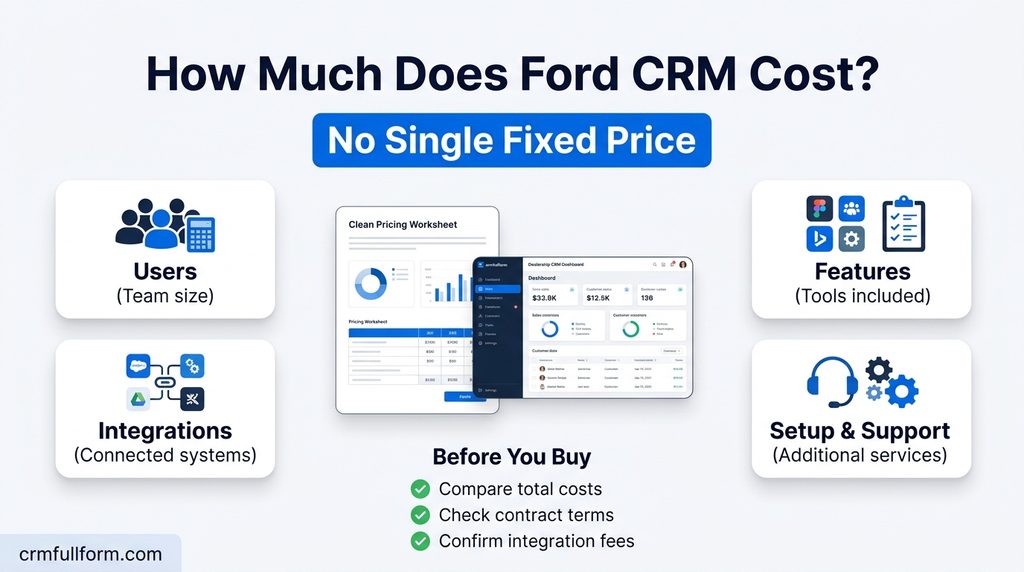
Costs may depend on the provider, number of users, included modules, dealership requirements, integrations, onboarding, and contract terms. Some dealership-specific providers use customized pricing rather than publishing a complete price list.
Before requesting a quotation, write down what the dealership needs. For example, a store that mainly wants lead tracking and reminders may have different requirements from a multi-location operation that needs extensive integrations and reporting.
Ask each provider about:
- Subscription and setup fees.
- Charges for additional users or locations.
- Included communication features.
- Integration and data migration costs.
- Training and customer support.
- Contract length and cancellation terms.
- Data export options if you change providers.
Our guide to CRM system costs explains how to compare subscription fees with implementation and other expenses.
Do not choose a system on its starting price alone. The more useful question is whether the complete setup solves the dealership’s problems at a reasonable cost.
What Should You Check Before Choosing a Ford CRM?
Before agreeing to a new system, ask the provider to demonstrate a real dealership workflow rather than giving you only a feature presentation.
Start with a test enquiry. Can it enter the CRM correctly? Can the system assign it to the right person? Can the salesperson record a call, schedule a follow-up, and see the customer’s history later?
Then check the integrations. If your dealership depends on FordDirect services, inventory data, or a dealership management system (DMS), confirm exactly which connections are supported and what information passes between them.
Also involve the people who will use the software. A system may look impressive to management but become another task salespeople avoid if it is difficult to navigate.
Finally, review permissions, customer-data handling, training, support, and the process for transferring records. These details may not be the most exciting part of a CRM demonstration, but they matter when the system becomes part of everyday dealership operations.
Frequently Asked Questions
Is CRM Ford a specific software product?
The phrase can refer broadly to CRM software used by Ford dealerships or to Ford-related CRM services. FordDirect works with dealership technology providers, including DriveCentric, so it is important to identify the exact product you mean.
What is FordDirect?
FordDirect is a joint venture between Ford Motor Company and its dealers. It connects Ford dealers and Lincoln retailers with digital marketing, data, and technology-related services.
Does FordDirect provide CRM services?
FordDirect participates in the dealership CRM ecosystem and has partnerships with CRM providers. Its services also include lead-management solutions. The exact product and availability depend on the service and dealership.
What is DriveCentric’s relationship with FordDirect?
DriveCentric announced a strategic partnership with FordDirect in May 2024. Its FordDirect solution is positioned as a CRM for Ford dealers and Lincoln retailers, combining dealership CRM functionality with FordDirect-related data and integrations.
Can a Ford dealership use a third-party CRM?
Yes, dealership CRM choices can include third-party providers. However, dealers should verify compatibility with their existing technology, required FordDirect services, and applicable program requirements before making a decision.
Why does a Ford dealership need a CRM?
A CRM can help dealership employees organize customer enquiries, record conversations, plan follow-ups, track sales opportunities, and review performance. Its value depends on the quality of the setup and how consistently the team uses it.
Final Thoughts
When people search for CRM Ford, they may be trying to identify the system used by a dealership or simply understand how Ford dealers manage customer relationships.
The important distinction is that FordDirect is part of the dealership technology ecosystem, while individual CRM platforms provide the tools employees use to manage leads, communication, and sales activity.
If you work at a Ford dealership, confirm which system your organization uses and whether it supports the integrations you need. If you are evaluating a CRM, start with your sales process, test the software with real tasks, and compare the complete cost before making a decision.
The right CRM should help your team keep track of customers and follow through on conversations, not create another system that employees have to work around.