
A plumbing business can have skilled plumbers, reliable equipment, and plenty of customer enquiries but still lose time managing appointments, estimates, invoices, and follow-ups.
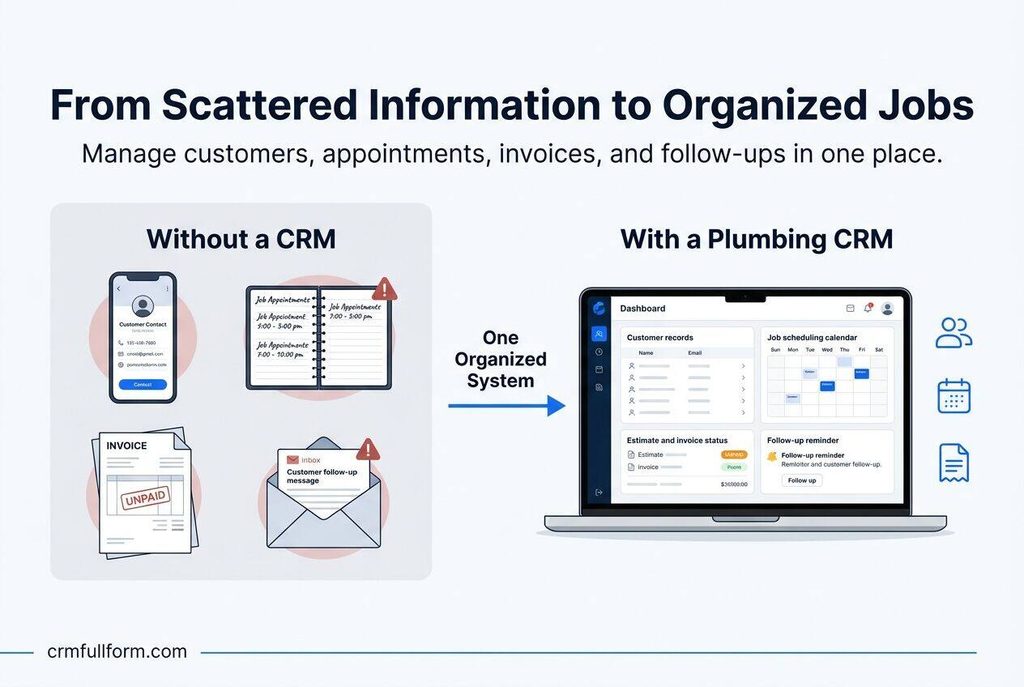
The problem is often the way information is handled. One customer’s details might be saved in a phone, another job might be written in a notebook, and an unpaid invoice might be sitting in an email inbox.
Plumbing CRM software helps plumbers organize customer information, manage service requests, track jobs, and maintain communication in one place. Depending on the software, it can also support scheduling, estimates, invoicing, and recurring maintenance reminders.
In this guide, we’ll explain what a plumbing CRM is, which features matter most, and how to choose software that fits your business without paying for tools you do not need.
What Is a Plumbing CRM?
A plumbing CRM is a customer relationship management system designed to help plumbing businesses manage their relationships with customers and organize service-related information.
CRM stands for Customer Relationship Management. A plumbing business can use a CRM to keep customer contact details, service addresses, previous repairs, estimates, invoices, and follow-up tasks connected to the same customer record.
For example, imagine a customer calls because a water heater has stopped working. You record the customer’s details, schedule a visit, assign a plumber, and prepare an estimate. After the repair, you save the job notes and invoice.
When the same customer calls six months later, you can check the previous visit instead of asking the customer to explain everything again.
That is the practical value of a plumbing CRM.
Some systems focus mainly on customer records and communication. Others combine CRM with field service management, giving businesses additional tools for dispatching technicians, managing jobs, and collecting payments. The available features depend on the software and subscription plan.
Why Do Plumbing Businesses Need a CRM?
Many small plumbing businesses start with a phone, a calendar, and a spreadsheet. That setup may work when there are only a few customers and service calls each week.
As the business grows, keeping everything organized becomes more difficult.
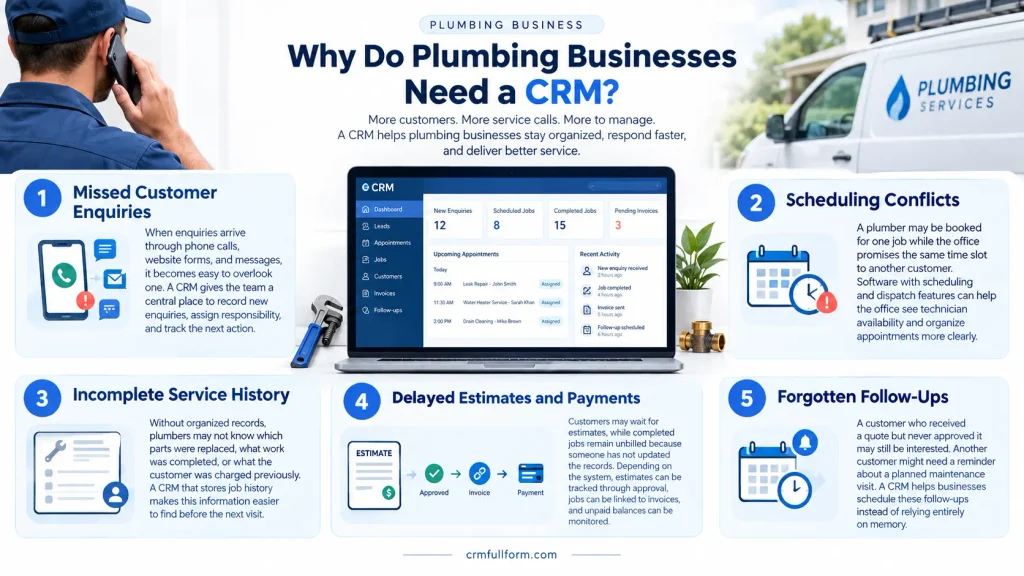
Here are some common problems a plumbing CRM can help address.
1. Missed Customer Enquiries
When enquiries arrive through phone calls, website forms, and messages, it becomes easy to overlook one.
A CRM gives the team a central place to record new enquiries, assign responsibility, and track the next action.
2. Scheduling Conflicts
A plumber may be booked for one job while the office promises the same time slot to another customer.
Software with scheduling and dispatch features can help the office see technician availability and organize appointments more clearly.
3. Incomplete Service History
Without organized records, plumbers may not know which parts were replaced, what work was completed, or what the customer was charged previously.
A CRM that stores job history makes this information easier to find before the next visit.
4. Delayed Estimates and Payments
Customers may wait for estimates, while completed jobs remain unbilled because someone has not updated the records.
Depending on the system, estimates can be tracked through approval, jobs can be linked to invoices, and unpaid balances can be monitored.
5. Forgotten Follow-Ups
A customer who received a quote but never approved it may still be interested. Another customer might need a reminder about a planned maintenance visit.
A CRM helps businesses schedule these follow-ups instead of relying entirely on memory.
Key Features to Look for in Plumbing CRM Software
Not every CRM is designed for plumbing work. Before choosing one, focus on the features that solve problems your business actually experiences.
| Feature | How It Helps a Plumbing Business |
|---|---|
| Customer management | Keeps contact details and communication history organized |
| Job history | Records previous repairs, technician notes, and service details |
| Scheduling and dispatch | Helps assign jobs and coordinate technician availability |
| Estimates and quotes | Tracks proposed work, prices, and customer approvals |
| Invoicing and payments | Helps manage billing and outstanding balances |
| Mobile access | Lets plumbers check job details and update records in the field |
| Automated reminders | Supports appointment confirmations and follow-ups |
| Reporting | Helps owners review jobs, revenue, and outstanding work |
| Maintenance tracking | Organizes recurring visits and service agreements where supported |
A small plumbing business may only need customer management, scheduling, estimates, and invoices. A larger company with several technicians may benefit from dispatch tools, mobile access, and more detailed reporting.
The best plumbing CRM is not necessarily the one with the longest feature list. It is the one your team can use consistently.
How Does a Plumbing CRM Work?
A plumbing CRM can organize the process from the first customer enquiry to the completed job and follow-up.
Consider this example.
Step 1: Receive the enquiry
A homeowner contacts the business about a leaking pipe. The office records the customer’s name, contact information, service address, and description of the problem.
Step 2: Assess and schedule the job
The team records the urgency, checks availability, and schedules a suitable appointment. If the software supports dispatch, the job can be assigned to an available plumber.
Step 3: Prepare an estimate
The plumber inspects the problem and provides an estimate. The office can track whether the customer has approved the proposed work.
Step 4: Record the completed work
After the repair, the plumber records what was done, any relevant notes, and the parts used. Photos can also be attached if the software supports them.
Step 5: Send the invoice
The completed job moves to billing. The business records the invoice and tracks payment according to its normal process.
Step 6: Schedule the next follow-up
If another visit is needed, the team creates a task or reminder. For appropriate jobs, it may also schedule future maintenance or contact the customer about related services.
This process gives the office and field team a clearer view of what has happened and what needs to happen next.
For a broader explanation of the underlying process, see our guide on how CRM works.
Plumbing CRM vs. General CRM Software
A general CRM is usually built around contacts, sales opportunities, communication, and follow-ups. A plumbing CRM may include those capabilities alongside tools for field service operations.
The difference matters because managing a plumbing company involves more than tracking potential customers.
| Requirement | General CRM | Plumbing-Focused CRM |
|---|---|---|
| Customer contact records | Commonly available | Commonly available |
| Sales and enquiry tracking | Commonly available | Available in many systems |
| Technician scheduling | May require another tool or integration | Available in some systems |
| Job dispatch | Often requires customization or integration | Available in field-service-focused systems |
| Estimates and invoices | Depends on the product and integrations | Available in some systems |
| Service history by address | May need customization | Often a core requirement |
| Maintenance reminders | May require workflows or integrations | Available in some systems |
These are general differences, not guarantees about every product. Always verify individual features before purchasing.
A general CRM may be sufficient for a plumbing business that mainly wants to manage enquiries and customer relationships. A business coordinating daily service calls across several technicians will usually need stronger scheduling and job-management capabilities.
Popular CRM and Software Options for Plumbers
Several platforms are worth evaluating when looking for plumbing CRM software. Their suitability depends on the size of your business, required features, budget, and location.
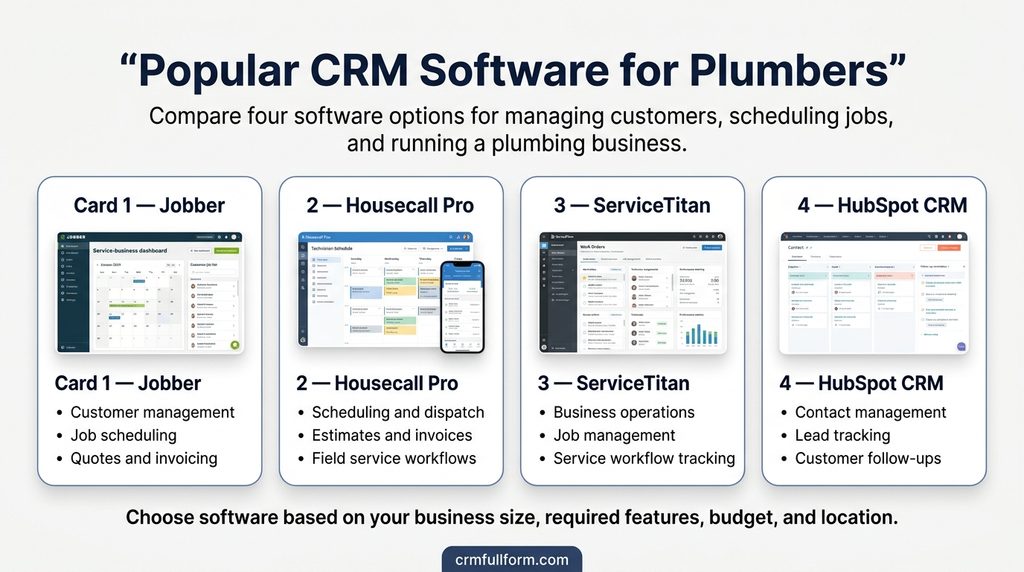
Jobber
Jobber is worth considering for home service businesses that need help organizing customers, scheduling work, managing quotes, and handling invoicing. Check its current plans to confirm which features are included.
Housecall Pro
Housecall Pro offers field service management tools for home service businesses. Plumbing companies can evaluate it for scheduling, dispatch, estimates, invoicing, and related workflows.
ServiceTitan
ServiceTitan is another option to investigate, particularly for established trade businesses with more complex operational requirements. Assess its pricing, implementation needs, and available features against your team’s actual needs.
HubSpot CRM
HubSpot CRM may suit a plumbing business that primarily needs contact management, lead tracking, and customer follow-ups. However, do not assume that a general CRM provides every plumbing-specific scheduling or dispatch feature without additional tools.
These products serve different needs, so this is a shortlist for evaluation rather than a ranking. Confirm current pricing, regional availability, integrations, and contract terms directly with each provider.
How Much Does Plumbing CRM Software Cost?
The cost depends on the provider, subscription plan, number of users, and features required.
Some businesses may be able to start with a free or low-cost general CRM. Field-service platforms may charge subscription fees, while more advanced systems can involve additional costs for users, payment processing, integrations, onboarding, or implementation.
Before comparing prices, consider the full cost of using the software.
Ask these questions:
- Is the price charged per user, per business, or per location?
- Are scheduling, dispatch, estimates, and invoicing included?
- Are there extra charges for text messages, payment processing, or integrations?
- Can customer and job records be exported if you change providers?
- Is setup or employee training included?
- Does the software work in your country and support your payment methods?
For a broader overview of CRM expenses, read our guide to CRM system cost.
A lower subscription price is not automatically better if the software requires several additional tools to complete everyday tasks.
How to Choose the Right Plumbing CRM
Use the following steps to narrow down your options.
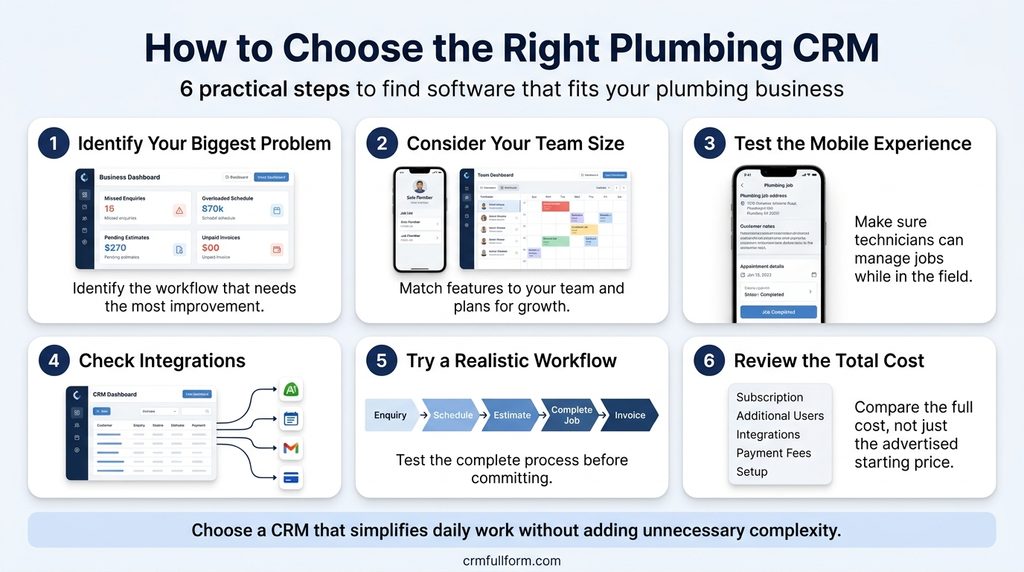
1. Identify Your Biggest Problem
Are you missing enquiries, struggling to schedule jobs, forgetting estimates, or spending too much time chasing payments?
Start with the problem that creates the most work or confusion. You can then identify the features needed to solve it.
2. Consider Your Team Size
A solo plumber may need a simple customer database, calendar, and invoicing workflow. A company with multiple technicians may require dispatching, shared job records, mobile access, and staff permissions.
Choose according to your current needs, while allowing reasonable room for growth.
3. Test the Mobile Experience
Plumbers spend much of their working day away from a desk. Check whether the software allows technicians to view addresses, read job notes, update job status, and record completed work from a phone.
If reliable internet access is limited in your service area, check whether the app supports offline work.
4. Check Integrations
Your business may already use accounting software, online booking forms, email, or payment tools. Confirm that the CRM connects to the systems you need and understand whether those integrations cost extra.
5. Try a Realistic Workflow
Use a trial or demonstration to test a typical job from enquiry to payment.
Create a customer, schedule a visit, prepare an estimate, record the completed work, and generate an invoice. If the process is confusing during a trial, your team may find it difficult to use consistently.
6. Review the Total Cost
Compare the complete cost rather than the advertised starting price. Include subscriptions, extra users, integrations, payment fees, and implementation where applicable.
The right choice should make daily work easier without adding unnecessary complexity.
Common Mistakes to Avoid When Choosing a Plumbing CRM
Choosing software based only on price: A cheap tool may lack essential features or require multiple paid add-ons.
Paying for features you will not use: Advanced automation and reporting are not priorities for every small plumbing business.
Ignoring employee adoption: Software cannot maintain accurate records if technicians and office staff rarely update it.
Overlooking data security: Customer contact details, addresses, and invoices should be protected through appropriate access controls and security practices.
Failing to plan the setup: Importing customer records without checking duplicates or organizing service history can create confusion from the beginning.
A little planning before implementation can prevent unnecessary work later.
Frequently Asked Questions About Plumbing CRM
What is the best CRM for plumbers?
There is no single best CRM for every plumbing business. Jobber and Housecall Pro are worth evaluating for field service workflows, ServiceTitan for more complex operations, and HubSpot CRM for businesses that mainly need customer and lead management. Compare the actual features and costs before deciding.
Is plumbing CRM software suitable for a small business?
Yes. A small plumbing business can use a CRM to organize customer details, track enquiries, schedule follow-ups, and keep service records accessible. Start with the essential features rather than buying a large system immediately.
Can a plumbing CRM manage appointments and dispatch?
Some plumbing CRM and field service platforms include appointment scheduling and technician dispatch. A general CRM may require an integration or separate scheduling tool, so check the product’s capabilities before signing up.
Can plumbers use CRM software on a mobile phone?
Many field service platforms offer mobile apps or mobile-friendly interfaces. Depending on the product, plumbers may be able to access customer records, view job details, update work status, and create estimates or invoices while on-site.
Does plumbing CRM software help generate repeat business?
It can help by keeping service history organized and making it easier to schedule appropriate maintenance reminders and follow-ups. Repeat business still depends on service quality, customer needs, pricing, and communication.
Is a CRM different from plumbing business management software?
The terms overlap. A CRM focuses on customer relationships and information, while plumbing business management or field service software may also cover scheduling, dispatch, job costing, inventory, invoicing, and other operational tasks. Some products combine both.
Final Thoughts
A plumbing CRM is useful when customer information, job details, appointments, and follow-ups become difficult to manage manually.
For a small operation, a simple system may be enough. A growing plumbing company may need scheduling, dispatch, mobile access, invoicing, and more advanced reporting.
Before choosing software, identify your biggest operational problem, test a realistic job workflow, and compare the full cost of the available options.
The goal is not to use the most advanced CRM. It is to keep customer information organized, help your team complete work efficiently, and make sure the next important action does not get forgotten.